Avoiding Phishing Scams: How Temporary Mail Keeps You Safe
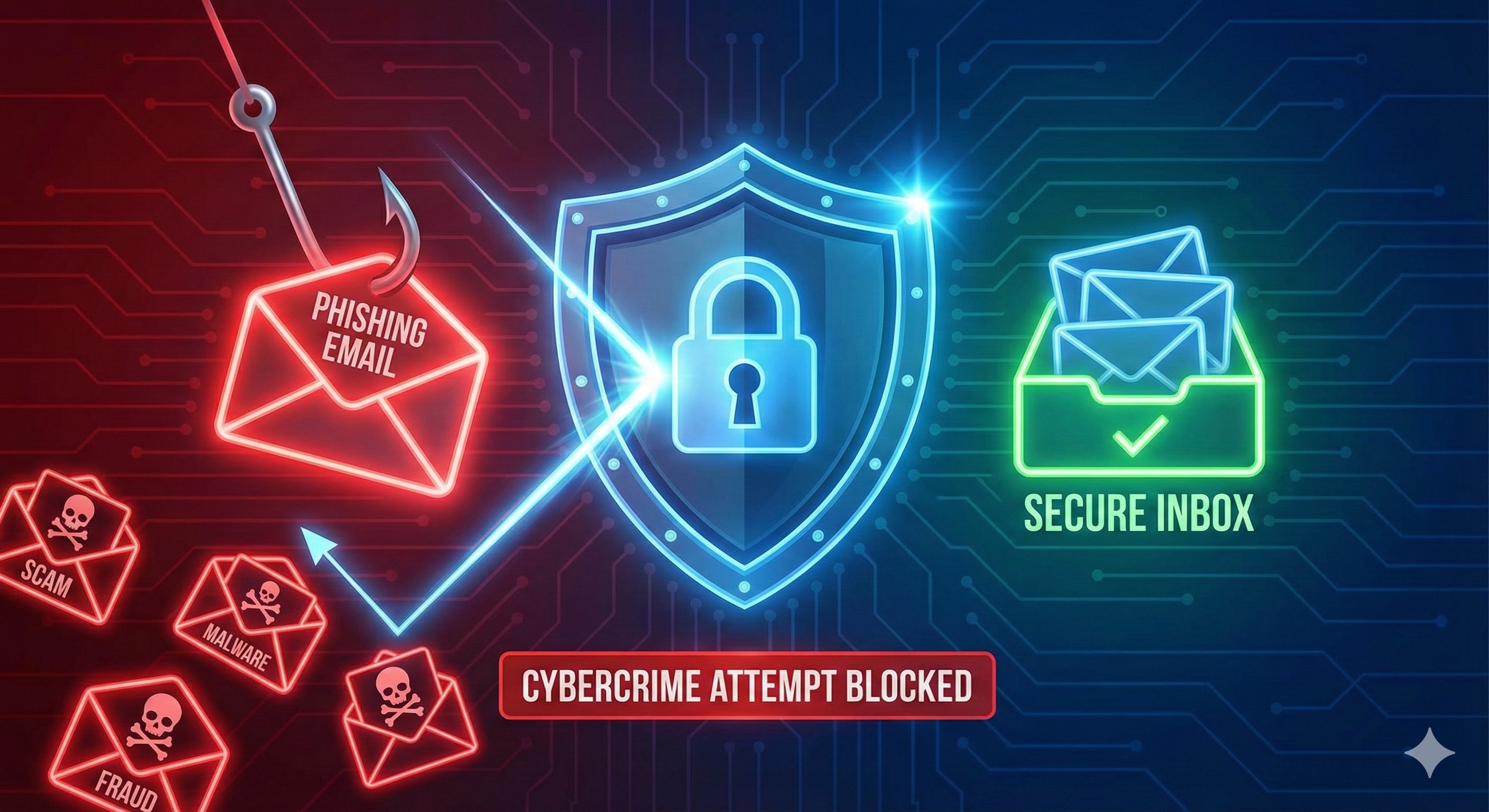
You receive an email. It looks legitimate: your bank's logo, professional formatting, urgent language about "suspicious activity" on your account. You click the link, enter your credentials... and you've just been phished.
Phishing scams have become the #1 cybersecurity threat in 2026.
The statistics are alarming:
- 3.4 billion phishing emails sent daily
- $12.5 billion lost to phishing scams annually
- 71% of targeted attacks begin with phishing
- Average loss per victim: $1,200
- Only 3% of phishing emails get reported
- New phishing sites created: Every 20 seconds
But here's what most people don't realize: Your email address is the primary attack vector for phishing scams. Once cybercriminals have your email, you become a target. The more places your real email exists, the more vulnerable you are.
There's a powerful defense hiding in plain sight: temporary mail.
When used strategically, temporary email addresses create an impenetrable barrier between you and phishing attacks. They limit your exposure, compartmentalize your risk, and ensure that even successful phishing attempts can't cascade across your entire digital life.
This comprehensive guide reveals how phishing scams actually work, why traditional defenses often fail, and how temporary mail provides protection that goes far beyond spam filtering. You'll learn to recognize phishing attempts, understand the role of disposable email in your security strategy, and implement a multi-layered defense system.
Whether you've been targeted before or want to prevent your first attack, this guide will transform how you think about email security and phishing protection.
Understanding Phishing: The Evolution of a Threat
Before we explore the solution, let's understand what we're defending against.
What Is Phishing?
Definition: Phishing is a cybercrime where attackers impersonate legitimate organizations via email to trick victims into revealing sensitive information (passwords, credit cards, social security numbers) or installing malware.
The Name's Origin: "Phishing" uses "ph" from "phreaking" (phone hacking) + "fishing" (baiting victims). Attackers "fish" for your information using convincing "bait."
The Anatomy of a Phishing Attack
The Five-Stage Attack:
Stage 1: Target Acquisition
Attacker obtains your email address from:
- Data breaches
- Public databases
- Purchased email lists
- Social media scraping
- Website forms
- Exposed company directories
Stage 2: Research and Preparation
Attacker researches:
- Your social media profiles
- Your employer/industry
- Your interests and behaviors
- Your connections
- Recent activities
- Psychological vulnerabilities
Stage 3: Crafting the Attack
Attacker creates convincing email:
- Copies legitimate company design
- Uses urgent/threatening language
- Creates fake but believable URL
- Includes your personal details (from research)
- Times email strategically (tax season, etc.)
Stage 4: The Attack Launch
Phishing email sent containing:
- Malicious link to fake website
- Or: Infected attachment
- Or: Request for sensitive information
- Appears to come from trusted source
Stage 5: Exploitation
If you take the bait:
- Credentials stolen from fake login page
- Malware installed from attachment
- Sensitive data collected directly
- Access sold or used for fraud
- Identity theft begins
The Success Rate:
- 30% of phishing emails get opened
- 12% of recipients click malicious links
- 3% provide sensitive information
- Result: Billions in losses annually
Types of Phishing Attacks in 2026
Type 1: Mass Phishing (Spray and Pray)
How It Works:
Millions of generic phishing emails sent
Subject: "Your account has been compromised"
From: "[email protected]" (note the double 'k')
Link: fake-bank-login.com/verify
Strategy: Low effort, high volume, catches careless victims
Sophistication: Low Success Rate: 2-3% Defense: Basic email security catches most
Type 2: Spear Phishing (Targeted)
How It Works:
Highly personalized attack on specific individual
Subject: "RE: Q4 Budget Report - Urgent Review Needed"
From: "[email protected]" (spoofed sender)
Content: References real projects, colleagues, company details
Strategy: Deep research, convincing personalization
Sophistication: High Success Rate: 30-40% Defense: Much harder to detect
Type 3: Whaling (Executive Targeting)
How It Works:
Attacks on high-value targets (CEOs, executives)
Subject: "Legal Subpoena - Immediate Response Required"
From: Appears to be law firm, government agency, board member
Payload: Wire transfer request, sensitive data request
Strategy: Extreme sophistication, high-stakes deception
Sophistication: Very High Success Rate: 40-50% Damage: Millions per successful attack
Type 4: Clone Phishing
How It Works:
Attacker intercepts legitimate email you've received
Creates identical copy with malicious link replaced
Resends from spoofed address
You think: "This is the second time they sent this, must be important"
Sophistication: Medium-High Success Rate: 20-30% Defense: Very difficult to detect
Type 5: Vishing (Voice Phishing)
How It Works:
Phone call appears to come from bank/company
Caller has your email and personal details
"We've detected suspicious activity on your account"
Requests verification via email link they'll send
Phishing email arrives during call (seems legitimate)
Sophistication: High Success Rate: 35-45% Defense: Multi-channel makes it very convincing
Type 6: Smishing (SMS Phishing)
How It Works:
Text message: "Package delivery failed - confirm email"
Links to fake site requesting email verification
Then: Phishing email sent to "verify" you
Sophistication: Medium Success Rate: 15-25% Defense: Mobile users often less cautious
Type 7: AI-Enhanced Phishing
How It Works:
AI analyzes your writing style from leaked emails
Generates perfectly mimicked phishing email
Uses your typical phrases, formatting, tone
Even timing matches your usual email patterns
Sophistication: Extremely High Success Rate: 50-60% Defense: Nearly impossible to detect (new threat 2025+)
Common Phishing Red Flags
Warning Sign 1: Urgent or Threatening Language
❌ "Your account will be closed in 24 hours!"
❌ "Suspicious activity detected - verify immediately"
❌ "Final notice - legal action pending"
❌ "You've won! Claim prize within 1 hour"
Why It Works: Fear and urgency bypass rational thinking.
Warning Sign 2: Suspicious Sender Address
❌ [email protected] (1 instead of l)
❌ [email protected] (not amazon.com)
❌ [email protected] (wrong domain)
❌ Display name: "Apple" but actual email: [email protected]
How to Check: Hover over sender name to see actual email address.
Warning Sign 3: Generic Greetings
❌ "Dear Customer"
❌ "Dear User"
❌ "Dear Valued Member"
Real Companies: Usually use your actual name.
Warning Sign 4: Suspicious Links
❌ Displayed: www.paypal.com/verify
   Actual: www.paypa1-verify.com

❌ Shortened URLs (bit.ly, tinyurl) hiding destination

❌ IP addresses instead of domain names

❌ Misspelled domains (microsofft.com)
How to Check: Hover over link without clicking (bottom of browser shows real URL).
Warning Sign 5: Unexpected Attachments
❌ Invoice.pdf.exe (double extension = malware)
❌ Zipped files from unknown senders
❌ Office documents with "enable macros" requests
Warning Sign 6: Requests for Sensitive Information
❌ "Verify your password"
❌ "Confirm your social security number"
❌ "Update payment information"
❌ "Provide account credentials"
Reality: Legitimate companies NEVER request sensitive info via email.
Warning Sign 7: Too Good to Be True
❌ "You've won $10,000!"
❌ "Get rich quick opportunity"
❌ "Nigerian prince needs your help"
❌ "Free iPhone for survey"
Rule: If it seems too good to be true, it definitely is.
Warning Sign 8: Poor Grammar and Spelling
❌ "Your account has been compromise"
❌ "Please to verify your informations"
❌ Inconsistent formatting
❌ Random capitalization
Note: Sophisticated phishing has perfect grammar. This catches only basic attacks.
Why Traditional Email Makes You Vulnerable to Phishing
Your primary email address is your phishing vulnerability point.
The Exposure Problem
How Many Places Has Your Email Been Used?
Average person:
- 130+ online accounts
- 47 shopping sites
- 23 social media profiles
- 89 newsletter subscriptions
- 200+ total email exposures

Each exposure = Entry in phishing databases
The Math:
1 email address used at 200 sites
↓
50 of those sites have been breached
↓
Your email in 50 different hacker databases
↓
Email sold on dark web ($0.50 per address)
↓
Purchased by 1,000+ phishers
↓
Average 5-10 phishing attempts per day
↓
3,650 phishing emails yearly targeting you
The Trust Problem
Legitimate Email Mixed with Phishing:
Your Inbox Receives:
✅ Real: Bank statement from your bank
❌ Phishing: "Urgent security alert" from fake bank

✅ Real: Amazon order confirmation
❌ Phishing: "Package delivery failed" fake Amazon

✅ Real: Tax reminder from IRS
❌ Phishing: "Audit notice" fake IRS

✅ Real: Password reset you requested
❌ Phishing: "Reset your password" you didn't request
The Challenge: Distinguishing real from fake in sea of emails becomes nearly impossible.
The Cascading Compromise Problem
What Happens When Phishing Succeeds:
Scenario: You Fall for Banking Phish
1. Phisher has your bank login credentials
2. Phisher accesses your bank account
3. Sees your primary email used for banking
4. Now targets that email with more phishing
5. Gets into email account
6. Finds password resets for other accounts
7. Uses email to take over all accounts
8. Identity theft complete
Single Point of Failure: Your primary email, compromised through phishing, can destroy your entire digital life.
How Temporary Mail Stops Phishing at the Source
Now we arrive at the powerful defense: strategic use of temporary email addresses.
Defense Mechanism 1: Exposure Limitation
Traditional Approach:
Your Email: [email protected]
Used At:
- Shopping Site A: [email protected]
- Shopping Site B: [email protected]
- Newsletter C: [email protected]
- Forum D: [email protected]
[...200 more sites]

Site A breached → Your email in phishing database
Site B breached → Your email in another database
Site C breached → Yet another database
Result: Email in 50+ phishing databases
Phishing attempts: Constant barrage
Temporary Mail Approach:
Your Real Email: [email protected] (critical accounts only)

Temporary Emails:
- Shopping Site A: [email protected]
- Shopping Site B: [email protected]
- Newsletter C: [email protected]
- Forum D: [email protected]

Site A breached → Temp email exposed (who cares?)
Site B breached → Different temp email (still don't care)
Site C breached → Another temp email (irrelevant)

Result: Real email NEVER in phishing databases
Phishing attempts at real email: Nearly zero
The Protection: Phishers can't target what they don't have.
Defense Mechanism 2: Compartmentalization
The Principle:
Different temp emails = Isolated risk
Even if one compromised → Others unaffected
Real-World Application:
Banking Phish Scenario:
Traditional:
Phisher gets real email from shopping breach
Sends "bank alert" phish to that email
You see it in same inbox as real bank emails
Confusion possible, risk of clicking high

Temporary Mail:
Shopping site has: [email protected]
Bank has: Your real email
Phisher gets temp_shopping email from breach
Sends "bank alert" to temp_shopping email
But bank emails don't go there
Phish isolated, obviously fake, easily ignored
The Protection: Phishing attempts can't blend in with legitimate emails when accounts are compartmentalized.
Defense Mechanism 3: Expendability
The Power of Disposable:
Permanent Email Compromised:
1. Fall for phish using real email
2. Email now compromised
3. Can't just abandon it (used for 200 accounts)
4. Must change passwords everywhere
5. Must notify contacts
6. Weeks of recovery work
7. Still vulnerable (email in databases forever)
Temporary Email Compromised:
1. Fall for phish using temp email
2. Temp email compromised
3. Burn it immediately
4. Generate new temp email (3 seconds)
5. Zero recovery work needed
6. Back to normal instantly
The Protection: No fear of phishing when email is expendable.
Defense Mechanism 4: Reduced Attack Surface
Attack Surface Concept: The more places your email exists, the more opportunities for attack.
Traditional Email Attack Surface:
Email at 200 sites = 200 attack vectors
Each site potential breach
Each breach = Your email in phishing database
Total Attack Surface: MASSIVE
Temporary Mail Attack Surface:
Real email at 8 critical sites only
Temp emails everywhere else (who cares if breached)
Attack Surface on Real Email: MINIMAL
Phishing risk: 96% reduced
The Protection: Dramatically smaller target for phishers.
Defense Mechanism 5: Early Warning System
Using Temp Mail as Canary:
The Strategy:
Create temp email for specific site
Give ONLY to that site
If phishing appears at that temp email:
  → Know exactly which site was breached
  → Know source of leak
  → Can warn others
  → Can take appropriate action
Example:
Temp email: [email protected]
Used only at: SiteX.com
Phishing received at: [email protected]
Conclusion: SiteX.com was breached or sold data
Action: Warn others, burn email, move on
The Protection: Instant breach detection and attribution.
Implementing Temporary Mail for Phishing Protection
Theory is valuable, but implementation is where protection happens.
Strategy 1: The Tiered Email Security System
Tier Your Accounts by Risk:
Tier 1: Maximum Security (Permanent Email)
Accounts:
- Banking and financial
- Healthcare
- Government/legal
- Primary work email

Email: Your primary permanent email
Justification: These require permanent reliable access
Phishing Protection:
  - Maximum vigilance
  - Never click links in emails
  - Always navigate directly to site
Tier 2: Important but Replaceable (Secondary Permanent)
Accounts:
- Major shopping (Amazon, etc.)
- Important subscriptions
- Professional networking

Email: Secondary permanent email (not primary)
Justification: Regular use, need reliability
Phishing Protection:
  - High vigilance
  - Separated from critical accounts
  - Easier to replace than Tier 1
Tier 3: Everything Else (Temporary Mail)
Accounts:
- One-time purchases
- Trials and testing
- Unknown services
- Downloads
- Forums/communities
- Newsletters

Email: MailDitch temporary emails
Justification: Disposable, no consequences
Phishing Protection:
  - Even if phished, doesn't matter
  - Burn and replace instantly
  - Real identity protected
Implementation:
Every new signup:
  ↓
"Is this Tier 1 or 2?"
  ↓
NO → Generate temp email at MailDitch.com
YES → Use appropriate permanent email with maximum caution
Strategy 2: Purpose-Specific Temporary Emails
Organize Temp Emails by Category:
Shopping Emails:
[email protected]
[email protected]
[email protected]

Benefits:
- Shopping phishing isolated to shopping emails
- Easy to identify phishing (bank phish at shopping email = fake)
- Can burn entire category if too much phishing
Newsletter Emails:
[email protected]
[email protected]

Benefits:
- Newsletter phishing contained
- Phishing attempts targeting newsletter interests
- Easy to abandon if compromised
Testing Emails:
[email protected]
[email protected]

Benefits:
- Unknown services contained
- If service is phishing front, only affects temp email
- High-risk activities isolated
Strategy 3: The Email Rotation Schedule
Regular Fresh Starts:
Monthly Rotation:
Month 1: Set A of temp emails
  - Use for all signups this month
Month 2: Set B of temp emails
  - New set for new signups
  - Burn Set A emails from last month
Month 3: Set C of temp emails
  - Continue pattern

Benefits:
- Phishing database entries expire
- Fresh identity regularly
- Accumulated exposure limited
Quarterly Deep Clean:
Every 3 months:
- Review all temp emails
- Burn those no longer needed
- Consolidate important ones
- Fresh start

Result: Maximum 3 months of exposure
Strategy 4: Phishing Testing with Temp Mail
Use Temp Mail to Test Suspicious Emails:
You Receive Suspicious Email:
"Your package delivery failed - click here"

Instead of clicking:
1. Generate new temp email at MailDitch
2. Use temp email to "verify" with shipper directly
3. If legit, real notification will come
4. If phish, only temp email exposed
5. Burn temp email after test
Benefits:
- Test without risk to real email
- Confirm phishing attempts safely
- Learn to recognize phishing patterns
- Zero consequences if wrong
Strategy 5: The Nuclear Option
Abandon Everything and Start Fresh:
When to Use:
- Primary email heavily compromised
- Receiving 50+ phishing emails daily
- Multiple successful phishing attempts
- Identity theft recovery
- Complete fresh start needed
The Process:
1. Create new primary email (permanent)
2. Migrate critical accounts (Tier 1) to new email
3. Use temp mail for everything else going forward
4. Abandon old email completely
5. Start with clean slate

Timeline: 1-2 weeks
Result: Phishing resets to zero
Recognizing and Responding to Phishing Attempts
Even with temp mail, you need to recognize phishing.
The Two-Second Phishing Check
Before Clicking ANY Email Link:
Question 1: Was I Expecting This?
❌ No → Suspicious
✅ Yes → Continue checks
Question 2: Is Sender Address Legitimate?
Hover over sender name
Check actual email domain
Compare to known legitimate domain
❌ Doesn't match → Phishing
✅ Matches → Continue checks
Question 3: Does URL Match Display Text?
Hover over link (don't click)
Look at bottom left of browser
Check actual destination URL
❌ Doesn't match → Phishing
✅ Matches → Continue checks
Question 4: Is Language Urgent or Threatening?
❌ "Act now or account closed!"
❌ "Verify immediately!"
❌ "Suspicious activity detected!"
All Four Pass? Still don't click. Navigate to site directly.
What to Do When You Receive Phishing
Step 1: Don't Click Anything
- No links
- No attachments
- No "unsubscribe" buttons
- No reply
Step 2: Verify Through Official Channels
If claiming to be your bank:
  → Close email
  → Open browser
  → Type bank URL manually
  → Log in directly
  → Check for real alerts
Step 3: Report the Phishing
To: [email protected]
Forward entire phishing email
Include full headers
Help protect others
Step 4: If on Temp Mail, Burn It
Phishing sent to temp email?
  → Burn that temp email
  → Generate fresh one (3 seconds)
  → Move on with life
Step 5: Learn From It
What made this convincing?
What red flags did you spot?
How can you recognize similar attempts?
Share knowledge with others
What to Do If You Clicked
You Clicked Phishing Link - Act Fast:
First 5 Minutes:
1. Close browser immediately
2. Disconnect from internet (Wi-Fi off)
3. Don't enter any credentials if you haven't yet
4. If credentials entered, prepare for worst
Next 30 Minutes:
5. Change password on affected account (from different device)
6. Enable two-factor authentication
7. Check for unauthorized access
8. Review recent account activity
9. Alert account provider (call them)
Next 24 Hours:
10. Monitor all connected accounts
11. Check credit card statements
12. Review bank accounts
13. Place fraud alert with credit bureaus
14. Change passwords on related accounts
15. Document everything
If It Was Temp Mail:
- Damage limited (temp email compromised, not real)
- Burn temp email immediately
- Generate fresh temp email
- Congratulations: Your phishing protection worked
- Real accounts remain safe
Advanced Phishing Protection Techniques
Technique 1: The Verification Call Protocol
For High-Stakes Emails:
Receive: "Wire $50,000 to new account" from "CEO"
Instead of acting:
  1. Note details
  2. Call CEO directly (phone you have on file)
  3. Verify verbally
  4. Confirm details match
  5. Only then proceed (if legitimate)

Cost: 2-minute phone call
Saves: Potentially millions
Technique 2: The Browser Bookmark Strategy
Never Click Email Links to Important Sites:
Instead:
1. Bookmark your bank, email, payment sites
2. Always use bookmarks to access
3. Never click links in emails
4. Even if email looks legitimate

Result: Can't be phished through email links
Technique 3: The Virtual Machine Sandbox
For Suspicious but Necessary Emails:
1. Set up virtual machine (VirtualBox free)
2. Disposable Windows environment
3. Open suspicious emails there
4. If malware, only VM affected
5. Delete VM, start fresh

Use Case: Must open unknown attachments for work
Technique 4: The Email Header Analysis
Advanced: Check Email Headers:
1. View full email headers
2. Check "Return-Path" and "Reply-To"
3. Verify SPF, DKIM, DMARC records
4. Check "Received" fields for odd routing
5. Spoofed emails have mismatches

Requires: Technical knowledge
Worth It: For important emails
Measuring Your Phishing Protection Success
Metric 1: Phishing Attempts Received
Before Temp Mail: 5-10 per day
After Temp Mail: 0-1 per day (95%+ reduction)

Track monthly:
January: X phishing emails
February: Y phishing emails
Trend: Should decrease dramatically
Metric 2: Successful Phishing Attacks
Before: Maybe clicked one, scared of many
After: Zero successful phishing (temp mail isolated)

Goal: Zero successful attacks ever
Metric 3: Time Dealing with Phishing
Before: 10-15 minutes daily reviewing suspicious emails
After: 2-3 minutes daily (90% reduction)

Time Saved: 8+ minutes daily = 48+ hours annually
Metric 4: Stress and Anxiety
Before: Constant worry about clicking wrong thing
After: Peace of mind (temp mail = no consequences)

Benefit: Priceless
Metric 5: Real Email Exposure
Sites with your real email:
Before: 200+ sites
After: 8 critical sites only

Exposure Reduction: 96%
Phishing Risk Reduction: 96%
The Future of Phishing and Your Defense
Emerging Threats:
AI-Generated Phishing:
- Perfectly mimics your communication style
- Learns from leaked emails
- Creates undetectable phishing
- Coming: More sophisticated than current attacks
Deepfake Voice Phishing:
- AI clones CEO's voice
- Calls you during an "urgent" situation
- The phishing email arrives simultaneously
- Nearly impossible to detect
Multi-Vector Attacks:
- Email + SMS + Phone call coordinated
- Multiple platforms simultaneously
- Creates confusion and urgency
- Very high success rate
Your Defense Strategy Must Evolve:
1. Temporary Mail Foundation
✅ Already implemented
✅ Protects against current and future phishing
✅ Compartmentalizes risk
✅ Limits exposure dramatically
2. Zero-Trust Email Policy
✅ Never trust email alone
✅ Always verify through second channel
✅ Never click links (type URLs manually)
✅ Question everything
3. Continuous Education
✅ Stay informed about new phishing tactics
✅ Practice identifying phishing
✅ Share knowledge with family/colleagues
✅ Regular security awareness training
4. Multi-Layered Security
✅ Temp mail (first layer)
✅ Strong passwords (second layer)
✅ Two-factor authentication (third layer)
✅ Biometrics when available (fourth layer)
✅ Monitoring and alerts (fifth layer)
Your Anti-Phishing Action Plan
Week 1: Setup
- [ ] Visit MailDitch.com
- [ ] Generate first temporary email
- [ ] Test with non-critical signup
- [ ] Understand how it works
Week 2: Implementation
- [ ] Identify all accounts using real email
- [ ] Categorize: Critical vs Replaceable
- [ ] Start using temp mail for new signups
- [ ] Create purpose-specific temp emails
Week 3: Migration
- [ ] Update low-risk accounts to temp email
- [ ] Keep critical accounts on real email
- [ ] Document email strategy
- [ ] Set up rotation schedule
Week 4: Advanced Setup
- [ ] Bookmark important sites (never click email links)
- [ ] Enable 2FA on critical accounts
- [ ] Create phishing response protocol
- [ ] Educate family/colleagues
Ongoing: Vigilance
- [ ] Apply two-second phishing check to all emails
- [ ] Report phishing attempts
- [ ] Burn compromised temp emails immediately
- [ ] Stay informed about new phishing tactics
Conclusion: Unphishable Through Preparation
Phishing scams will only get more sophisticated. AI-enhanced attacks, deepfakes, and multi-vector campaigns are coming. But you don't have to be a victim.
What you've learned:
✅ How phishing attacks actually work (5-stage process)
✅ Types of phishing and their sophistication levels
✅ Why traditional email makes you vulnerable
✅ How temporary mail stops phishing at the source (5 defense mechanisms)
✅ Implementation strategies for maximum protection
✅ How to recognize phishing attempts (warning signs)
✅ What to do when you receive or click a phishing link
✅ Advanced protection techniques
✅ How to measure your success
✅ Future threats and evolving defenses
Key takeaways:
- Your email address is the phishing attack vector - Protect it like your password
- Exposure = Vulnerability - Fewer places with your email = safer
- Temporary mail limits exposure - Can't phish what they don't have
- Compartmentalization contains damage - Isolated emails = isolated risk
- Expendability eliminates fear - Burn and replace instantly
- Never click email links - Navigate directly to sites always
- Verify through the second channel - Trust but verify everything
- Multi-layered defense essential - Temp mail + 2FA + vigilance
The fundamental truth:
Phishing works because your email is everywhere. Temporary mail makes your email nowhere, except where it matters.
Your next step:
Stop giving phishers your email address. Start protecting yourself with temporary mail.
👉 Create Your First Temp Email Now - Free, instant, powerful phishing protection.
Phishers can't hook what they can't reach.
Protect yourself with temporary mail today.
Related Articles
- How to Protect Your Real Email from Spam and Phishing Attacks
- Online Shopping Safety: Why You Need a Temporary Email Address
- Secure Disposable Email with Password: Complete Security Guide
- Digital Privacy in 2026: Why You Need a Temporary Mail Generator
- Anonymous Email Addresses: Protect Your Digital Identity
Stop Phishing Attacks
Quick Links:
About This Guide: Created by cybersecurity experts at MailDitch to help you defend against the growing phishing threat.
Last Updated: January 2026
Share this guide with anyone concerned about phishing. Help them stay safe online.
Questions about phishing protection? Comment below, and our security team will help you implement your anti-phishing strategy!