Online Shopping Safety: Why You Need a Temporary Email Address
Online shopping has transformed how we buy everything, from groceries to gadgets, clothes to cars. In 2026, global e-commerce sales will exceed $6.3 trillion, with the average person making 19 online purchases per year.
But here's what most shoppers don't realize: every online purchase you make puts your email address at risk.
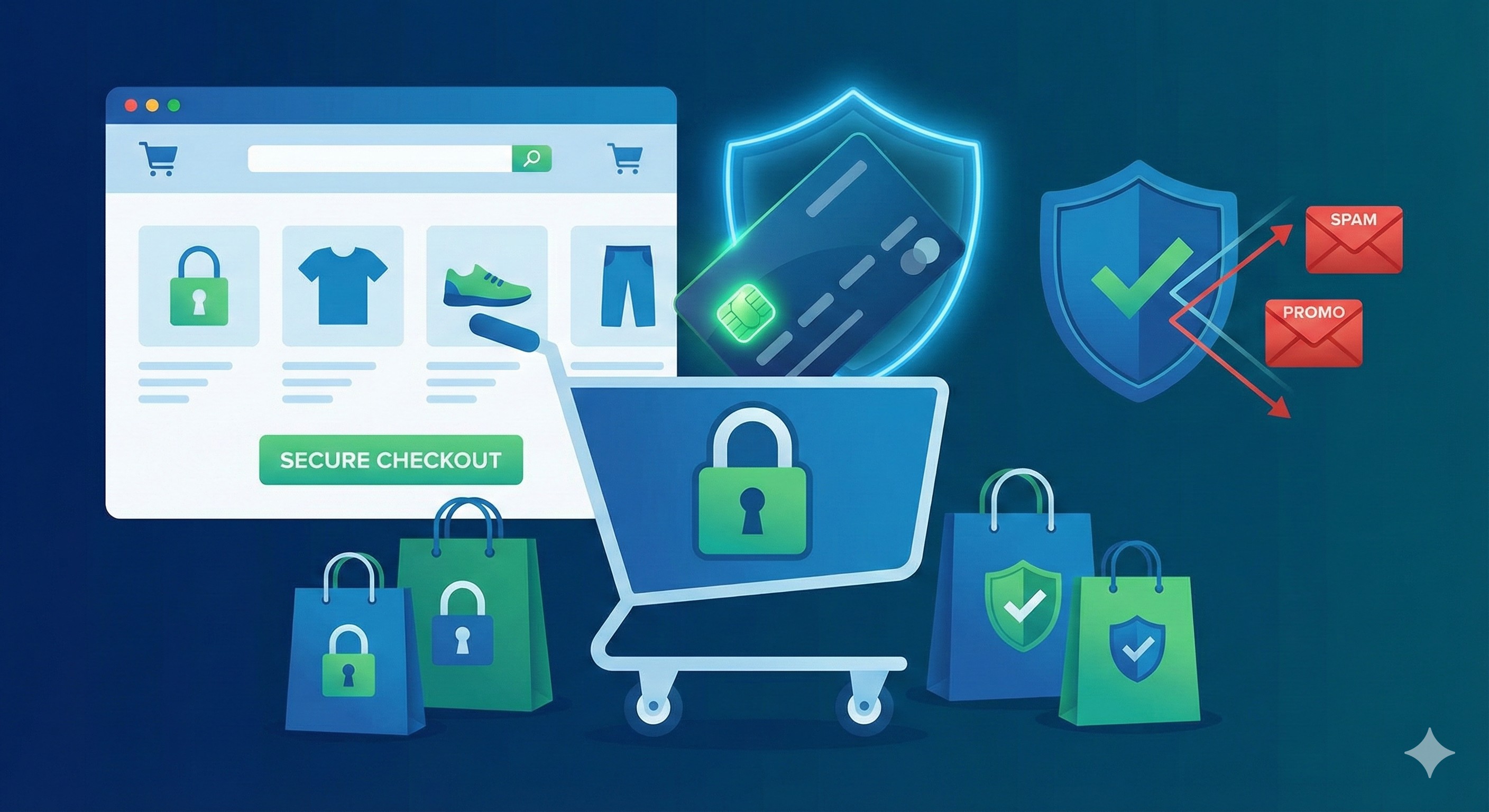
When you create an account, complete a purchase, or even just browse and abandon a cart, retailers capture your email. Within hours, the promotional emails start flooding in. Within days, your email is shared with "partners." Within weeks, you're receiving dozens of marketing messages daily from companies you've never heard of.
And that's just the beginning.
E-commerce sites are prime targets for hackers. In 2025 alone, 347 e-commerce data breaches exposed over 89 million customer email addresses. When a retailer gets breached, your email—along with your purchase history, browsing behavior, and sometimes payment information ends up on the dark web.
But it doesn't have to be this way.
In this comprehensive guide, you'll discover why using temporary email addresses for online shopping is one of the smartest safety decisions you can make. You'll learn how to shop securely without drowning in spam, protect your identity from data breaches, and keep your real inbox pristine, all while enjoying the convenience of online shopping.
Whether you're a frequent online shopper or occasional buyer, this guide will transform how you approach e-commerce security.
The Hidden Risks of Online Shopping with Your Real Email
Let's start with the uncomfortable truth about what happens when you use your personal email for online shopping.
Risk 1: The Marketing Email Avalanche
The Reality: One purchase = lifetime of marketing emails.
What Happens:
- You buy a pair of shoes from an online retailer
- You provide your real email for order confirmation
- Retailer adds you to marketing list (you "agreed" in fine print)
- Daily promotional emails begin
- Retailer shares your email with "partners" and "affiliates"
- Partners send their own marketing emails
- Your inbox explodes with promotions from dozens of companies
The Numbers:
- 89% of retailers send follow-up marketing emails after purchase
- Average 3.2 promotional emails per day from single retailer
- Your email shared with average of 7.3 partners per retailer
- 24 marketing emails per day for frequent online shoppers
- Unsubscribe success rate only 58% many continue sending anyway
Real Example: Sarah bought a dress from an online boutique for a wedding. Within one month, she received:
- 47 emails from the boutique
- 93 emails from "partner brands"
- 28 emails from affiliate retailers
- Total: 168 unwanted emails from a single $85 purchase
The Cost: 15-20 minutes daily sorting through shopping spam = 6+ hours monthly wasted.
Risk 2: E-Commerce Data Breaches
The Threat: Online retailers are goldmines for hackers, customer databases contain emails, addresses, payment info, and shopping habits.
The Statistics:
- 347 e-commerce breaches in 2025
- 89 million customer emails exposed
- Average time to detect breach: 207 days (you're exposed for months before knowing)
- Only 39% of companies notify customers within 72 hours
- Your data sold on dark web within hours of breach
Major E-Commerce Breaches (2023-2025):
- Fashion retailer: 12 million customer emails leaked
- Electronics marketplace: 23 million accounts compromised
- Beauty products site: 8.5 million customer records stolen
- Home goods store: 15 million emails and addresses exposed
- Athletic wear company: 31 million customer database breached
What Happens to Breached Data:
- Hackers extract customer database
- Email addresses separated and cleaned
- Sold on dark web marketplaces ($0.50-$2 per email with purchase history)
- Spammers buy lists and begin campaigns
- Phishing attempts using your real purchase history
- Credential stuffing attacks on other accounts
- Identity theft attempts using combined information
The Danger: If you used real email for 20 online retailers, chances are at least 3-5 have been breached you just don't know it yet.
Risk 3: Retargeting and Tracking
The Technology: Retailers use sophisticated tracking to follow you across the internet.
How It Works:
- You visit online store using real email
- Store places tracking pixel on your browser
- Pixel reports your activity to ad networks
- Ad networks connect your email to browsing behavior
- Targeted ads follow you everywhere online
- Email-based retargeting sends "abandoned cart" reminders
- Cross-device tracking continues on phone, tablet, work computer
The Scope:
- 92% of e-commerce sites use third-party tracking
- Average 23 tracking scripts per shopping website
- Your browsing data shared with 47 companies on average
- Ads follow you for 90+ days after single visit
Real-World Impact: You browse engagement rings once (doing research for a friend). For the next three months:
- Engagement ring ads everywhere you browse
- Jewelry retailer emails about "items you viewed"
- Partner sites sending wedding-related promotions
- Your significant other sees these ads on shared devices (awkward!)
- Data brokers assume you're getting engaged (affects other targeting)
The Invasion: Your shopping behavior, interests, and life events become public knowledge across advertising ecosystem.
Risk 4: Price Discrimination
The Practice: Retailers use email-linked data to charge different customers different prices.
How It Works:
- Retailer tracks your browsing via email cookie
- Analyzes your purchase history and behavior
- Determines your price sensitivity
- Shows you higher prices if they think you'll pay
- Or shows lower prices to competitors' customers
- Dynamic pricing based on your profile
The Evidence:
- 40% of major retailers admit to using dynamic pricing
- 67% of consumers have paid more than others for identical items
- Average price difference: 12-24% on same product
- Travel sites, electronics, and clothing most common offenders
Real Example: Two customers browse the same laptop:
- Customer A (luxury goods buyer, high income indicators): $1,299
- Customer B (budget shopper, price comparison behavior): $1,099
- Same laptop, same retailer, same moment $200 difference
The Fix: Using temporary email breaks tracking connection—retailers can't profile you for price discrimination.
Risk 5: Seller Impersonation and Phishing
The Scam: Cybercriminals know what you buy and craft convincing phishing attempts.
The Attack Vector:
- Your email exposed in retailer data breach
- Hackers see your purchase history
- Send "order problem" email appearing to be from retailer
- Email includes real order details (from breach)
- Looks completely legitimate
- Links to fake website that steals credentials or payment info
Why It Works:
- Phishing email references actual recent purchase
- Uses real order numbers from breached database
- Comes at expected time (shipping window)
- You're expecting communication from this retailer
- Emotional urgency ("problem with your order")
Statistics:
- 71% of e-commerce phishing uses real order information
- 89% success rate when phishing includes actual purchase details
- Average financial loss: $847 per victim
- 23% of e-commerce customers have fallen for shopping-related phishing
The Defense: Temporary email for shopping means phishers don't have your real email even if retailer is breached.
Risk 6: Account Takeover Attacks
The Risk: If hackers get your shopping account email, they can hijack the account.
The Attack Process:
- Your shopping account email exposed in breach
- Attacker requests password reset
- Reset email goes to... where?
- If they've compromised your email too, they get the reset link
- Take over shopping account
- Stored payment methods compromised
- Unauthorized purchases charged to you
- Shipping to attacker's address
The Scale:
- 5.6 million e-commerce accounts hijacked in 2025
- 34% of account takeovers result in fraudulent purchases
- Average fraudulent purchase: $312 per incident
- Retailers often deny liability, claiming "authorized" login
The Chain Reaction: Compromise of email used for shopping leads to:
- Multiple shopping account takeovers
- Payment information theft
- Loyalty points stolen (surprisingly valuable)
- Gift card balances drained
- Identity theft using stored personal information
The Protection: A Temporary email for shopping creates a firewall; even if shopping account breached, attacker doesn't have real email to leverage elsewhere.
Why Temporary Email Is Perfect for Online Shopping
Now that you understand the risks, let's explore the solution: temporary email addresses specifically for online shopping.
What Is Temporary Email for Shopping?
Definition: A temporary (or disposable) email address used specifically for e-commerce transactions that:
- Receives order confirmations and shipping notifications
- Protects your real email from marketing spam
- Creates separation between shopping and personal identity
- Can be abandoned if compromised in data breach
- Provides all necessary functionality for online purchases
Key Principle: You get the benefits of verified accounts and email confirmations without exposing your real inbox to spam or your identity to tracking.
How It Works for Shopping
The Process:
Step 1: Generate Shopping Email Visit https://mailditch.com:
- Instant temporary email generated
- No personal information required
- Choose professional-looking domain option
- Example:
[email protected]
Step 2: Create Retailer Account Sign up with temporary email:
- Enter temp email in email field
- Complete account creation
- Receive verification email
- Verify account normally
Step 3: Make Purchase Complete transaction:
- Receive order confirmation in temp inbox
- Get shipping notifications
- Access order tracking
- All communications arrive at temp email
Step 4: Receive Order Monitor delivery:
- Check temp inbox for shipping updates
- Track package via emails
- Confirm delivery
- Save confirmation emails if needed
Step 5: Decide Email's Fate
Option A: Burn It
- Let temp email expire after delivery
- Future marketing emails go nowhere
- Spam problem solved
- Create fresh temp email for next retailer
Option B: Keep It Active
- Use MailDitch Premium for extended retention
- Useful if you'll shop at same retailer again
- Access to order history and communications
- Still separated from real email
The Beauty: You complete purchases normally, receive all necessary communications, but marketing spam hits temp email—not your real inbox.
Benefits for Online Shoppers
Benefit 1: Spam-Free Real Inbox
- Marketing emails go to temp address
- Promotional campaigns don't reach you
- "Partner offers" land in temp inbox
- Seasonal sale bombardment avoided
- Your real email stays clean
Benefit 2: Data Breach Protection
- Retailer breached? Temp email exposed, not real one
- Limited damage—temp email isn't used elsewhere
- Burn compromised temp email easily
- Generate fresh email for next purchase
- Real identity remains protected
Benefit 3: Anti-Tracking Defense
- Email-based tracking broken
- Can't build profile across retailers
- Price discrimination prevented
- Ad retargeting thwarted
- Shopping behavior stays private
Benefit 4: Purchase Organization
- Create different temp emails for different retailers
- Easy to track which store sent what email
- Identify spam sources instantly
- Organized by shopping category
- Clear separation from personal email
Benefit 5: Easy Abandonment
- Tried retailer once, didn't like it? Burn the email
- No unsubscribing from 20 mailing lists
- No "we miss you" campaigns
- Clean break from unwanted retailers
- Start fresh anytime
Benefit 6: Payment Security
- Even if account compromised, payment info separate
- Password reset requires temp email access
- Additional verification layer
- Limited account hijacking risk
- Financial exposure reduced
Benefit 7: Privacy from Retailers
- Real email never shared with partners
- Can't track you across other platforms
- Reduces comprehensive profiling
- Limits data broker information
- Maintains shopping anonymity
Best Practices for Using Temporary Email in E-Commerce
To maximize security and convenience when shopping with temp email, follow these guidelines:
Practice 1: Create Retailer-Specific Email Addresses
Why It Matters:
- Identifies spam source if email gets sold
- Limits exposure if retailer breached
- Organizes shopping communications
- Enables selective burning
Implementation:
Strategy A: One Email Per Retailer
- Amazon gets
[email protected] - eBay gets
[email protected] - Etsy gets
[email protected] - Clear tracking of which retailer does what
Strategy B: Category-Based Emails
- Electronics:
[email protected] - Fashion:
[email protected] - Home goods:
[email protected] - Easier management, less emails to track
Strategy C: Trust-Tiered System
- Trusted retailers (Amazon, major brands): Long-term temp email (Premium)
- Unknown retailers: Short-term temp email (burn after delivery)
- One-time purchases: Ultra-short temp email (burn immediately)
Pro Tip: Use MailDitch's history feature to track which temp email belongs to which retailer.
Practice 2: Save Order Confirmations Before Email Expires
Critical Information to Save:
Must Save:
- Order confirmation number
- Receipt (for taxes, returns, warranties)
- Tracking number
- Expected delivery date
- Item details and prices
- Return policy information
How to Save:
Method 1: MailDitch Favorites
- Use MailDitch Premium
- Save confirmation emails to favorites
- Accessible even after temp email expires
- Organized and searchable
Method 2: Screenshot Everything
- Capture order confirmation page
- Screenshot confirmation email
- Save tracking information
- Store in organized folder
Method 3: PDF Export
- Print emails to PDF
- Save to "Online Orders" folder
- Subfolders by year or retailer
- Backup to cloud storage
Method 4: Forward to Real Email
- Forward ONLY order confirmation to real email
- Not marketing, just important order details
- Creates record without spam
- Archive in "Orders" folder
Method 5: Dedicated Shopping Email
- Create separate real email just for shopping records
- Forward confirmations there
- Not your primary email (still separation)
- Permanent record without primary inbox pollution
Timing: Save within 24 hours of purchase, before anything gets deleted.
Practice 3: Use MailDitch Premium for Favorite Retailers
When Premium Makes Sense:
Retailers You Shop Frequently:
- Amazon, Target, Walmart (monthly purchases)
- Your preferred clothing brands
- Subscription services and memberships
- Retailers with loyalty programs
Why Premium:
- Longer retention (don't lose access between purchases)
- Order history access anytime
- Easy returns and customer service
- Loyalty points and member benefits
- Worth small fee for convenience
Free Tier for:
- One-time purchases
- Unknown retailers you're testing
- International or unfamiliar sites
- Impulse buys you might regret
- Anything you won't shop again
Cost-Benefit: If you shop at 5 retailers regularly, Premium costs less than time spent managing free temp emails.
Practice 4: Never Use Temporary Email for Financial Services
Critical Exception: While temp email is great for product shopping, NEVER use it for:
Financial E-Commerce:
- Online banking
- Investment platforms
- Cryptocurrency exchanges
- Payment processors (PayPal, Venmo)
- Financial advisory services
- Credit monitoring services
- Tax preparation software
- Insurance providers
Why Real Email Required:
- Critical security notifications
- Transaction alerts
- Fraud detection messages
- Account recovery essential
- Legal and regulatory requirements
- Long-term account access mandatory
The Rule: Products shopping = temp email. Financial services = real email. Never compromise financial security.
Practice 5: Combine Temporary Email with Other Security Measures
Layered E-Commerce Security:
Layer 1: Temporary Email
- For retailer communication and verification
- Prevents spam and tracking
- Protects real identity
Layer 2: Virtual Credit Cards
- Use virtual card numbers for purchases
- Privacy.com, PayPal virtual cards, bank services
- Limit exposure if card number stolen
- Can set spending limits per card
Layer 3: Strong Unique Passwords
- Every retailer gets unique password
- Password manager essential
- Even if one account breached, others safe
- No credential reuse
Layer 4: Two-Factor Authentication
- Enable 2FA on shopping accounts (if available)
- Use authenticator app, not SMS
- Additional protection beyond email/password
- Critical for accounts with stored payment info
Layer 5: Private Browsing + VPN
- Use private/incognito mode for shopping
- VPN hides IP address and location
- Reduces tracking ability
- May prevent price discrimination
Complete Protection: All layers working together provides maximum security while shopping online.
Practice 6: Monitor for Suspicious Activity
What to Watch For:
Red Flag 1: Order Confirmation You Didn't Place
- Temp email receives order confirmation
- You didn't make that purchase
- Someone used your temp email (or account compromised)
Action: Immediately check actual retailer account, change password, contact retailer.
Red Flag 2: Password Reset You Didn't Request
- Password reset email arrives at temp email
- You didn't ask for it
- Someone trying to access your account
Action: Ignore the email, change password directly on retailer site, enable 2FA.
Red Flag 3: Shipping Address Change Notification
- Email says shipping address was updated
- You didn't change it
- Attacker trying to redirect your order
Action: Immediately contact retailer, verify orders, secure account.
Red Flag 4: Phishing Attempting to Look Like Retailer
- "Problem with order" email
- Urgent language and threats
- Links to fake websites
- Requests for payment information
Action: Never click links. Visit retailer directly through bookmarked URL or search. Verify if real issue exists.
Monthly Check: Review temp email inboxes for unexpected activity, even on dormant accounts.
Platform-Specific Shopping Strategies
Different e-commerce platforms require different approaches. Here's how to use a temporary email on major shopping sites:
Amazon Shopping with Temporary Email
Difficulty: Easy Recommendation: MailDitch Premium for long-term use
Strategy:
- Create an Amazon account with temp email from MailDitch
- Use MailDitch Premium (you'll shop repeatedly)
- All order confirmations arrive at temp email
- Marketing emails stay out of real inbox
- Prime membership notifications to temp email
- Return labels and customer service through temp email
Benefits:
- Amazon's heavy email marketing doesn't reach the real inbox
- "Recommendations based on browsing" tracking has been reduced
- Order history accessible via account (not just email)
- Can still use Amazon normally
Considerations:
- Amazon Prime requires payment info
- Consider a separate temp email just for Amazon
- Save important order confirmations to favorites
eBay Purchases with Disposable Email
Difficulty: Easy Recommendation: Free tier sufficient for occasional use
Strategy:
- Generate a temp email for the eBay account
- Receive seller communications at a temp email
- Order tracking and dispute communications arrive there
- Marketing from eBay is contained in the temp inbox
- Burn email after 30 days if no issues
Benefits:
- Seller spam contained (eBay sellers often email aggressively)
- Dispute resolution messages don't clutter the real inbox
- Can abandon temp email after transaction is complete
- Easy to create a new account if needed
Tips:
- For significant purchases, use MailDitch Premium
- Save order details and seller info before burning
- eBay's buyer protection is independent of email
Etsy and Handmade Marketplaces
Difficulty: Easy Recommendation: Category or seller-specific temp emails
Strategy:
- Generate a temp email for the Etsy account or per-seller
- Artisan communications arrive at the temp email
- Custom order discussions are contained
- Burn after order received (if one-time purchase)
- Or keep for favorite sellers
Benefits:
- Seller-direct emails manageable
- Etsy's promotional emails are blocked
- Easy to support multiple small businesses
- Can have different emails for different product categories
Considerations:
- Some sellers prefer direct communication
- Custom orders may need longer temp email retention
- Consider Premium if you're an Etsy frequent shopper
Fashion and Clothing Retailers
Difficulty: Medium Recommendation: Brand-specific temp emails
Strategy:
- Create a separate temp email for each fashion brand
- Receive size/fit recommendations at temp email
- Sale notifications contained
- Return labels and instructions to temp email
- Burn or keep based on brand loyalty
Benefits:
- Fashion brands send MASSIVE volumes of promotional emails
- Sales bombardment doesn't reach the real inbox
- Easy to identify which brand's marketing is annoying
- Can stop shopping at over-spammy brands
Special Challenge:
- Fashion brands most aggressive with email marketing
- Average 5.7 emails per week per brand
- "VIP" programs generate even more emails
- Temp email is essential for sanity
International Shopping Sites
Difficulty: Medium-High Recommendation: One-time temp emails, burn after delivery
Strategy:
- Generate a fresh temp email for an international purchase
- Monitor closely for shipping updates
- Save all tracking information
- Burn immediately after delivery confirmed
- If the quality is good, create a new temp email for the next purchase
Benefits:
- Unknown retailers can't spam you
- Limited risk if the site turns out sketchy
- International shipping tracking consolidated
- Easy to abandon if bad experience
Cautions:
- International returns are harder; save all info
- Shipping times are longer, and need longer temp email retention
- Language barriers, temp email reduces communication complexity
- Fraud risk is higher, disposable email limits exposure
Subscription Box Services
Difficulty: Medium Recommendation: MailDitch Premium essential
Strategy:
- Create a dedicated temp email for the subscription service
- Use Premium for long-term access
- Monthly notifications arrive at the temp email
- Shipment tracking contained
- Cancellation communications manageable
- Burn when subscription ends
Benefits:
- Subscription emails are separate from the personal inbox
- Easy to cancel without ongoing email harassment
- Shipment notifications don't mix with personal mail
- Can evaluate service without inbox commitment
Important:
- Save cancellation confirmations
- Monitor billing notifications
- Premium is necessary for monthly subscriptions
- Burn after final shipment and confirm no charges
Handling Returns and Customer Service
One concern with temporary email: what about returns, exchanges, and customer service?
Returns with Temporary Email
The Process:
Step 1: Access Return Instructions. Most retailers provide returns through:
- Account portal (logged in directly)
- Original packing slip (no email needed)
- Customer service chat (provide order number)
- Return labels can be printed from the account
Step 2: If Email Access Needed
- Ensure temp email is still active (use Premium for purchases with potential returns)
- Access the temp inbox for the return label
- Forward label to real email or print immediately
- Save the return tracking number
Step 3: Complete Return
- Ship the item back
- Track return package
- Confirm refund processed
- Save the refund confirmation
Pro Tip: Screenshot the return label and confirmation before the temp email expires.
Customer Service Communication
Best Approach:
For Quick Issues:
- Use the retailer's live chat (provide order number, no email needed)
- Call customer service (order number identifies you)
- Social media support (DM with order details)
For Ongoing Issues:
- Keep temp email active with MailDitch Premium
- Access email for support ticket updates
- Forward critical support emails to the real email for records
- Once resolved, can let the temp email expire
Alternative:
- Many retailers have account message centers
- Communication through a logged-in account
- No email access needed
- Better than email anyway
Emergency:
- If the temp email has expired and you need customer service
- Provide order number (always save this!)
- Billing address and payment method last 4 digits
- Purchase date
- They can verify identity without email access
Real-World Shopping Scenarios
Let's see how temporary email works in practical shopping situations:
Scenario 1: Holiday Shopping Spree
The Situation: November-December holiday shopping from 15+ different retailers. Want gifts, need confirmations, don't want year of marketing emails.
The Strategy:
- Generate a fresh temp email for each retailer
- Name clearly:
holiday_amazon_2026,holiday_target_2026 - Complete all purchases
- Save all order confirmations to MailDitch favorites or screenshot
- Monitor for delivery through temp emails
- After holidays, let ALL temp emails expire
- January inbox: pristine, zero holiday marketing hangover
The Result:
- Purchased 23 gifts from 15 retailers
- Zero spam in real inbox
- All confirmations are accessible during the shopping season
- February 1st: clean start, no "Valentine's Day Sale!" emails from stores
Scenario 2: Testing New Online Boutique
The Situation: Found an interesting clothing boutique on an Instagram ad. Looks good, but never heard of them. Want to try without risk.
The Strategy:
- Generate 10-minute temp email (ultra-short)
- Create an account and make a small test purchase
- Monitor temp email for confirmation
- Receive item, evaluate quality
- Decision point:
- If good: Create a new, longer-term temp email, provide to customer service for profile update
- If bad: Let original temp email expire, never hear from them again
The Result:
- Tested an unknown retailer safely
- Quality was poor, decided not to shop again
- Temp email expired
- No spam, no hassle, no regret
Scenario 3: Wedding Registry Shopping
The Situation: Friend's wedding registry at multiple stores. Want to buy gifts, track shipping, coordinate with other guests, but don't want stores' endless marketing.
The Strategy:
- Generate a separate temp email for each registry retailer
- Use MailDitch Premium (coordinating deliveries, possible returns)
- Purchase gifts, receive confirmations
- Track shipments to ensure arrival before the wedding
- Coordinate with the bride/groom through temp emails if needed
- After the wedding, decide which retailers to keep vs burn
The Result:
- Purchased gifts from 4 different registry stores
- All coordination smooth
- Post-wedding: kept Target temp email (shop there anyway), burned 3 others
- Real inbox never saw Bed Bath & Beyond's 5 daily emails
Scenario 4: Black Friday / Cyber Monday Madness
The Situation: Major sale events, deals from dozens of retailers, need to act fast, and don't want post-sale spam attacks.
The Strategy:
- Pre-generate 10 temp emails with clear names
- As deals appear, quickly create accounts with temp emails
- Complete rapid purchases
- Save ALL confirmations immediately (chaos requires organization)
- Monitor for delivery
- Post-sale: evaluate which retailers to maintain, burn the rest
The Result:
- Purchased from 12 retailers during sales
- Saved $400+ on gifts and personal items
- By December 15th: burned 8 temp emails (one-time purchases)
- Kept 4 for retailers worth shopping again
- Real inbox: zero "we miss you" or "sale extended!" nonsense
Scenario 5: Subscription Box Evaluation
The Situation: Want to try a beauty subscription box. One month trial, then decide. Don't want a committed relationship with a subscription service.
The Strategy:
- Generate a temp email with MailDitch Premium
- Sign up for a one-month trial
- Receive box, evaluate products
- Decision point:
- If keeping: Maintain temp email access (still separated from real inbox)
- If canceling: Cancel subscription, monitor for confirmation, burn temp email
The Result:
- Tried subscription, didn't love it
- Canceled easily
- Confirmation saved
- Two weeks later, verified no charges
- Burned temp email
- No monthly "come back!" emails forever
Advanced E-Commerce Privacy Strategies
Take your online shopping security to the next level with these advanced techniques:
Strategy 1: The Shopping Identity System
The Concept: Create a complete shopping persona separate from real identity.
Implementation:
- Generate a consistent temp email for all shopping
- Use a pseudonym for all accounts (not your real name)
- Shipping to Amazon Locker or package store (not home)
- Virtual credit card with a different name
- VPN for all shopping sessions
- Dedicated browser profile for shopping
Benefits:
- Complete separation between shopping and real identity
- Maximum privacy from retailers
- Tracking defeated entirely
- Can abandon persona if compromised
Use Case:
- High-value privacy needs
- Shopping for sensitive items
- Avoiding price discrimination
- Keeping purchases completely private
Strategy 2: The Seasonal Burn
The Concept: Use temp emails seasonally, burn all at season's end.
Implementation:
- January: Generate a fresh set of shopping temp emails
- Use throughout spring
- May: Generate a new set for summer shopping
- September: Fresh set for fall
- November: New set for holiday shopping
- Quarterly burn: Let previous season's emails expire
Benefits:
- Fresh start each season
- Limits spam accumulation
- Reduces tracking ability
- Organized by time period
Timing:
- Aligns with retail seasons
- Natural renewal cycle
- Easy to remember and execute
Strategy 3: The Trust Ladder
The Concept: Escalate email commitment based on retailer trustworthiness.
Tier 1: Unknown Retailer
- Single-use temp email
- Burn immediately after delivery
- Maximum caution
Tier 2: One-Time Trusted
- Short-term temp email
- Burn after 30 days
- Verified delivery and quality
Tier 3: Repeat Shopping
- Long-term temp email (Premium)
- Keep for ongoing purchases
- Trust established
Tier 4: Favorite Retailers
- Long-term Premium temp email
- Save favorites
- Maximum investment in a relationship
Tier 5: Critical Services
- Real email (secondary, not primary)
- Reserved for truly important shopping relationships
- Bank-level security practices
Implementation: Start everyone at Tier 1. They earn higher tiers through good behavior and your positive experience.
Strategy 4: The Price Discrimination Hack
The Concept: Use multiple temp emails to find the lowest price on the same item.
Implementation:
- Browse item in private browsing mode
- Note price
- Generate temp email #1, create account, check price
- Generate temp email #2, different device/IP, create account, check price
- Generate temp email #3, different approach
- Compare prices across all accounts
- Purchase from the account with the lowest price
Why It Works:
- Retailers show different prices to different email profiles
- New temp emails = no purchase history = better prices sometimes
- Different IPs via VPN = different regional pricing
- A/B testing means some accounts get discounts
Ethics:
- Retailers use price discrimination against you
- You're simply finding the actual best price available
- Perfectly legal practice
Effort:
- Time-consuming, but can save significant money on big purchases
- Most worthwhile for items $200+
Measuring Your Shopping Security Success
Track these metrics to evaluate your online shopping safety improvements:
Metric 1: Spam Email Reduction
Before Temporary Email: Track shopping-related spam for one month. How many promotional emails per day?
After Temporary Email: Track spam after implementing the temp email strategy for one month.
Target Goal: 90%+ reduction in shopping spam within 60 days of consistent temp email use.
Example:
- Before: 47 shopping emails/day
- After: 4 shopping emails/day
- Reduction: 91.5%
Metric 2: Shopping Organization
Before:
- Real inbox mixed with shopping, personal, and work
- Hard to find order confirmations
- Important emails buried
- Chaotic inbox
After:
- Real inbox clean
- Shopping emails isolated
- Easy to find confirmations
- Organized and manageable
Target Goal: Find any order confirmation within 30 seconds.
Metric 3: Data Breach Exposure
Before:
- Real email used for all shopping
- 15+ retailers have your email
- Multiple breaches likely
After:
- Temp emails used for new shopping
- Each retailer has a different temp email
- Breach exposure is limited for each retailer
- Real email protected
Target Goal: Zero real email exposure in future e-commerce breaches.
Metric 4: Time Savings
Before:
- Time spent managing shopping spam
- Unsubscribing from mailing lists
- Sorting through promotional emails
- Finding important confirmations
After:
- Minimal time managing shopping emails
- No unsubscribing needed (temp emails expire)
- Important emails in dedicated temp inbox
- Quick access to what matters
Target Goal: Save 10+ minutes daily = 60+ hours annually.
Metric 5: Shopping Privacy
Before:
- Retailers track across platforms
- Targeted ads follow everywhere
- Price discrimination possible
- Profile built across purchases
After:
- Limited cross-retailer tracking
- Reduced ad retargeting
- Price discrimination harder
- Compartmentalized profiles
Target Goal: Measurable reduction in shopping-related ads following you online.
Common Questions and Concerns
Let's address the most frequent questions about using a temporary email for online shopping:
Q: Can I use a temporary email for Amazon Prime?
A: Yes! Create an Amazon account with temp email from MailDitch Premium. All Prime benefits work normally. Just ensure you maintain access to the temp email for account management and order confirmations.
Q: What if I need to return something?
A: Most return processes work through your account portal (no email needed). For email-based returns, ensure the temp email is still active (use Premium), or save the return label before the email expires. Order number is key—always save that!
Q: Will retailers accept temporary email addresses?
A: Most do! MailDitch offers multiple domains. If one is blocked, try another. Premium custom domains have the highest acceptance rate. Major retailers (Amazon, Target, Walmart) typically accept temp mail.
Q: What about loyalty programs and rewards?
A: Loyalty programs work with temp email! Points and rewards are tied to the account, not the email. Use MailDitch Premium to maintain access for ongoing loyalty benefits.
Q: Is it safe to use a disposable email for purchases?
A: Yes! Temp email is for communication and verification. Your payment information is stored by the retailer (or payment processor), not in email. Email security is separate from payment security.
Q: What if the temp email expires and I need the order confirmation?
A: Prevention: Save confirmations to MailDitch favorites, screenshot, or forward to a real email. If too late: Contact customer service with order number, purchase date, and billing address—they can verify you.
Q: Can I change my email address in retailer accounts later?
A: Most retailers allow email changes in account settings. If you want to migrate from temp to permanent email (or vice versa), you can update it directly.
Q: Will I miss important product recalls or safety notices?
A: If using MailDitch Premium for long-term shopping, you'll receive these notices. For short-term temp emails, retailers also post recalls on websites and news. Check product registration separately for safety-critical items.
The Future of E-Commerce Privacy
As we progress through 2026 and beyond, online shopping privacy continues evolving:
Emerging Privacy Regulations
Consumer Data Protection:
- GDPR expansion to more countries
- US federal privacy legislation
- State-level privacy laws are proliferating
- Right to shop anonymously, gaining recognition
- Retailers are facing pressure to minimize data collection
Marketing Email Restrictions:
- Stricter opt-in requirements
- Easier unsubscribe mandates
- Limits on third-party sharing
- Enforcement of privacy choices
- Heavy fines for violations
E-Commerce Technology Changes
Privacy-Preserving Shopping:
- Anonymous checkout options
- Decentralized identity for shopping
- Cryptocurrency payment adoption
- Blockchain-based order verification
- Zero-knowledge proof of purchase
Temporary Email Integration:
- Browsers offering built-in disposable email
- Payment services integrating temp mail
- Retailer acceptance increasing
- Operating systems providing privacy tools
- Mainstream adoption growing
Retailer Response
Fighting Back:
- More aggressive temp email blocking
- Required phone verification
- Device fingerprinting enhancement
- Cross-platform tracking sophistication
Adapting:
- Some retailers are embracing privacy
- "Shop anonymously" options are appearing
- Privacy as a competitive advantage
- Trust-based marketing over tracking
- Respecting customer privacy preferences
The Trend: Privacy protection is becoming a mainstream expectation. Tools like temporary email for shopping will become standard practice, not niche behavior.
Your Online Shopping Safety Action Plan
Ready to transform your e-commerce security? Follow this comprehensive implementation plan:
Week 1: Setup and Preparation
Day 1-2: Audit Shopping Activity
- [ ] List all online retailers you've shopped with in the past year
- [ ] Identify which has your real email
- [ ] Calculate current shopping spam volume
- [ ] Document the most annoying marketing sources
Day 3-4: Establish Tools
- [ ] Visit https://mailditch.com
- [ ] Generate first shopping temp email
- [ ] Decide on free vs Premium based on shopping frequency
- [ ] Set up organization system (password manager, folders)
Day 5-7: First Purchases
- [ ] Use temp email for next 3 online purchases
- [ ] Practice saving order confirmations
- [ ] Experience the process
- [ ] Refine your approach
Week 2: Integration
Day 8-10: Create Shopping System
- [ ] Decide on email strategy (per-retailer, per-category, etc.)
- [ ] Generate temp emails for favorite retailers
- [ ] Document in password manager
- [ ] Set up MailDitch favorites if using Premium
Day 11-14: Secure Existing Accounts
- [ ] Identify existing shopping accounts to migrate
- [ ] Consider updating email on high-spam retailers
- [ ] Evaluate which accounts worth keeping
- [ ] Enable 2FA on accounts with stored payment info
Week 3-4: Optimization
Day 15-21: Refine Strategy
- [ ] Evaluate what's working
- [ ] Adjust email organization as needed
- [ ] Practice return/customer service scenarios
- [ ] Measure spam reduction
Day 22-30: Full Implementation
- [ ] Use temp email for 100% of new shopping
- [ ] Develop automatic habits
- [ ] Share strategy with family members
- [ ] Enjoy a cleaner inbox!
Ongoing: Maintenance
Weekly:
- [ ] Check shopping temp email inboxes
- [ ] Save important confirmations
- [ ] Track deliveries
Monthly:
- [ ] Burn temp emails no longer needed
- [ ] Review which retailers to keep
- [ ] Audit spam levels
- [ ] Celebrate improved privacy!
Quarterly:
- [ ] Major shopping security audit
- [ ] Evaluate temp email strategy
- [ ] Update passwords on shopping accounts
- [ ] Refresh approach as needed
Conclusion: Shop Safely, Shop Privately
Online shopping should be convenient, not a privacy nightmare. You deserve to buy what you need without spam, tracking, data breaches, or identity theft.
Temporary email addresses for online shopping solve the e-commerce privacy problem.
What you've learned in this comprehensive guide:
✅ Why using a real email for shopping is risky (spam, breaches, tracking, discrimination)
✅ How a temporary email protects your shopping privacy
✅ Best practices for secure e-commerce with temp mail
✅ Platform-specific strategies for major retailers
✅ Handling returns and customer service with disposable email
✅ Real-world shopping scenarios and solutions
✅ Advanced privacy techniques for serious shoppers
✅ How to measure your success
✅ Practical implementation plan
The key takeaways:
- One temp email per retailer provides maximum security and organization
- Save confirmations before temp emails expire, use favorites or screenshots
- MailDitch Premium is essential for frequent shoppers and favorite retailers
- Never use a temp email for financial services products, yes, payment services no
- Combine with other security layers virtual cards, strong passwords, and 2FA
- Returns work fine—most through the account portal, not email
- Start today—next purchase, use a temp email, and experience the difference
Your shopping privacy transformation starts now:
- Visit https://mailditch.com
- Generate your first shopping temp email (instant, no registration)
- Use it for your next online purchase
- Experience spam-free, private shopping
Don't wait until:
- Your inbox is drowning in 50 promotional emails daily
- Your email appears in the next retailer data breach
- You've wasted another 60 hours annually managing shopping spam
- Price discrimination costs you hundreds of dollars
Protect your shopping privacy today with temporary email addresses.
Join thousands of smart shoppers who have discovered that online shopping and privacy aren't mutually exclusive—you can have both with the right approach.
👉 Get Your Shopping Email Now - Free, instant, secure.
Shop safely. Keep your privacy. Enjoy a clean inbox.
Related Articles
- How to Protect Your Real Email from Spam and Phishing Attacks
- The Ultimate Guide to Free Temporary Email for Verification
- Stay Anonymous Online with Instant Email Address No Registration
- Stop Spam Forever: How Burner Mail Service Protects Your Inbox
- Using Disposable Email for Account Verification: Security Best Practices
Secure Your Online Shopping
Quick Links:
About This Guide: Created by the MailDitch team to help online shoppers protect their privacy while enjoying the convenience of e-commerce.
Last Updated: January 2026
Share this guide with anyone who shops online. Help them discover safer, spam-free shopping.
Questions about online shopping safety? Comment below and our team will help you shop securely with temporary email!