How to Protect Your Real Email from Spam and Phishing Attacks in 2026
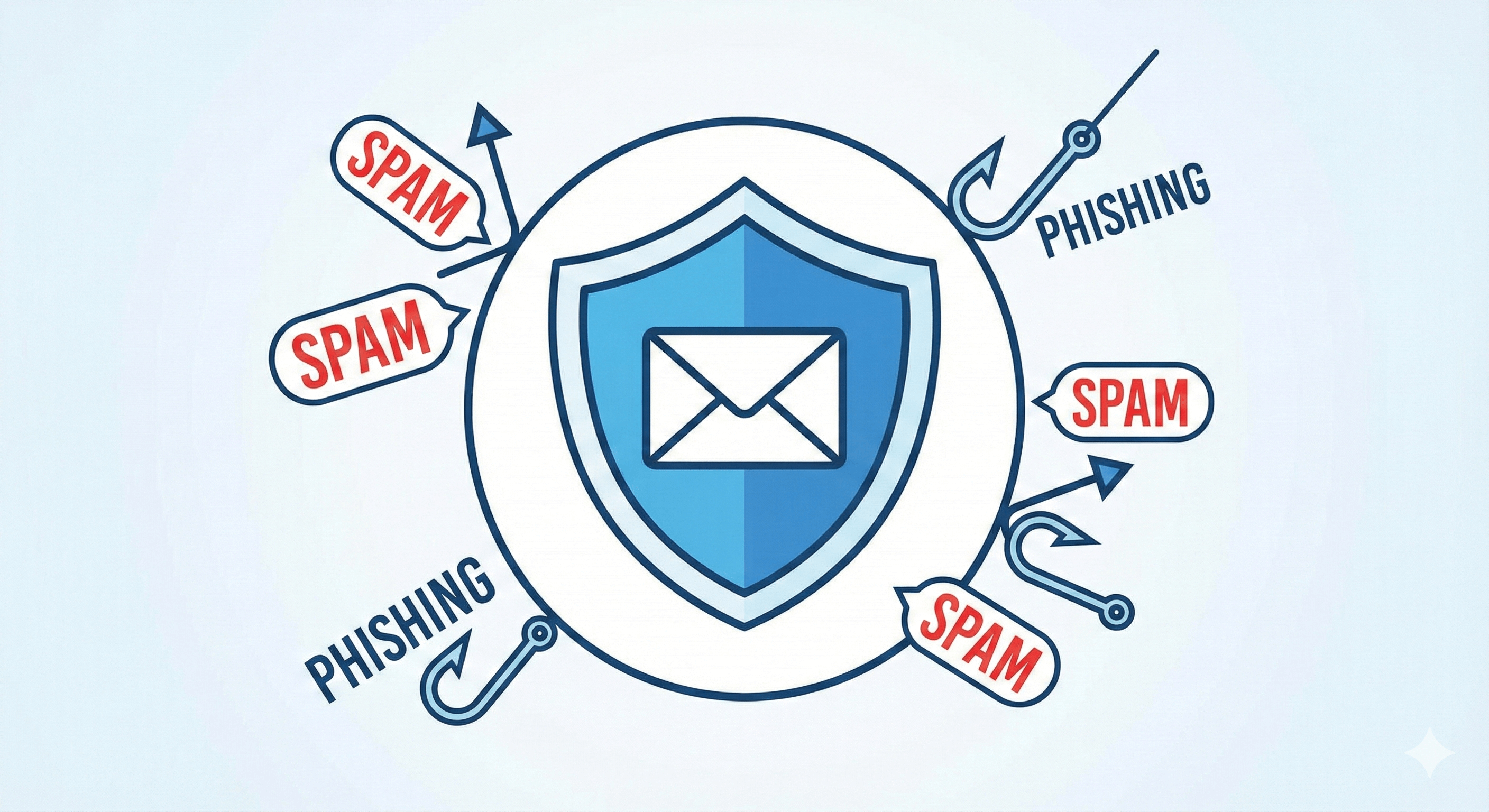
Your email inbox is under attack. Every single day, billions of spam messages and phishing attempts flood inboxes worldwide, threatening personal data, financial security, and peace of mind. In 2026, protecting your real email from these digital threats isn't just recommended—it's essential.
The good news? You don't have to be a cybersecurity expert to defend your inbox. In this comprehensive guide, we'll reveal proven strategies to protect your real email from spam and phishing attacks, including how using a temporary email address can serve as your first line of defense.
The Growing Threat: Why Your Email Is Vulnerable
Email remains the primary communication tool for billions of people worldwide, making it a prime target for cybercriminals. According to recent cybersecurity reports, over 3.4 billion phishing emails are sent every single day, with spam accounting for nearly 45% of all email traffic.
Here's the uncomfortable truth: if you're using your real email address everywhere online, you're leaving yourself exposed. Every time you sign up for a website, subscribe to a newsletter, or create an account, you're potentially adding your email to databases that can be hacked, sold, or exploited.
The consequences are serious:
- Identity theft and financial fraud
- Compromised personal accounts
- Malware infections on your devices
- Time wasted sorting through junk mail
- Exposure to sophisticated scams
But it doesn't have to be this way.
How Spam Collectors Find Your Email Address
Understanding how your email gets compromised is the first step in protecting it. Spammers and phishing attackers use five primary methods to harvest email addresses:
1. Data Breaches and Leaks
When companies experience data breaches, customer email addresses are often among the compromised data. These email lists are then sold on the dark web to spammers and cybercriminals. In 2025 alone, over 2.6 billion records were exposed in data breaches globally.
Even if you trust a website with your email today, there's no guarantee their security won't be compromised tomorrow. This is where using a disposable email address for non-critical signups becomes invaluable.
2. Public Web Scraping
Automated bots continuously scan the internet looking for email addresses posted publicly on websites, forums, social media profiles, and comment sections. If your email is visible anywhere online—even once—it can be harvested and added to spam lists within hours.
The solution? Never post your real email publicly. Use a temporary email address for public-facing registrations and interactions.
3. Purchased Email Lists
Unethical companies buy and sell email lists to marketers and spammers. When you sign up for a seemingly legitimate service, your email might be shared with dozens of third parties without your explicit consent. Before you know it, you're receiving promotional emails from companies you've never heard of.
4. Social Engineering and Phishing
Sophisticated phishing campaigns trick users into willingly providing their email addresses through fake surveys, prize giveaways, or bogus verification requests. These scams are designed to look legitimate, making them particularly dangerous.
5. Email Harvesting Tools
Spammers use specialized software that generates random email combinations based on common patterns. They send test emails to millions of addresses, and any that don't bounce back are confirmed as active and added to targeting lists.
Knowing these tactics highlights why protecting your real email requires a proactive, multi-layered approach.
Understanding Phishing Attacks: Recognize the Warning Signs
Phishing attacks have evolved far beyond the poorly written "Nigerian prince" emails of the past. Modern phishing campaigns are sophisticated, personalized, and incredibly convincing. In 2026, phishing is responsible for over 90% of successful cyberattacks.
What is Phishing?
Phishing is a cybercrime where attackers impersonate legitimate organizations to trick you into revealing sensitive information such as passwords, credit card numbers, or personal details. These attacks typically arrive via email but can also occur through text messages, social media, or fake websites.
Common Phishing Warning Signs:
- Urgent or Threatening Language: "Your account will be suspended in 24 hours!" or "Immediate action required!" are classic phishing tactics designed to bypass your rational thinking.
- Suspicious Sender Addresses: Look closely at the sender's email. Phishing emails often come from addresses that look similar to legitimate ones but contain subtle differences like "paypa1.com" instead of "paypal.com."
- Generic Greetings: Legitimate companies usually address you by name. Phishing emails often use generic greetings like "Dear Customer" or "Valued User."
- Requests for Sensitive Information: Real companies never ask for passwords, Social Security numbers, or credit card details via email.
- Suspicious Links: Hover over any links (without clicking) to see the actual URL destination. Phishing links often redirect to fake websites designed to steal your credentials.
- Unexpected Attachments: Malicious attachments can install malware on your device. Never open attachments from unknown senders.
- Too Good to Be True Offers: If you've "won" a prize you never entered for, or someone is offering you an incredible deal, it's likely a scam.
The Power of Disposable Email: Your First Line of Defense
Now that you understand the threats, let's talk solutions. One of the most effective strategies for protecting your real email is using a temporary email address—also known as disposable email, temp mail, or a burner mail service.
What is a Temporary Email Address?
A temporary email address is a free, anonymous email address that you can use instead of your real email when signing up for websites, services, or online accounts. These addresses receive emails just like regular inboxes but automatically delete messages after a set time period (typically 10 minutes to 48 hours).
Why Disposable Email is Your Secret Weapon:
- Zero Risk to Your Real Inbox: When you use a temporary mail generator like MailDitch, spam and phishing attempts go to the disposable address—not your personal inbox. If that temporary email gets compromised, you simply abandon it and generate a new one.
- Complete Anonymity: Free temporary email for verification doesn't require any personal information. No name, no phone number, no connection to your real identity. You get an instant email address no registration required.
- Automatic Cleanup: Unlike your primary email that requires constant maintenance and filtering, temporary emails self-destruct. No spam accumulation, no manual deletion needed.
- Perfect for Risky Signups: Need to access a one-time download, read a gated article, or sign up for a service you're not sure about? Use a disposable email address instead of risking your real inbox.
- Protection from Data Breaches: If a website you signed up for gets hacked, the exposed email is temporary and already discarded—not your primary email that's linked to your bank accounts, social media, and important services.
Step-by-Step: Using Temp Mail to Protect Your Real Email
Let's walk through exactly how to implement temporary email addresses into your daily online routine:
Step 1: Identify High-Risk Signups
Before entering your email anywhere, ask yourself:
- Is this a trusted, established company?
- Will I need long-term access to this account?
- Am I comfortable with this site having my real email?
If you answered "no" to any of these questions, use a temporary email address instead.
High-risk scenarios include:
- Free trial signups that require email verification
- One-time downloads or PDF access
- Contest entries and giveaways
- Forum registrations
- Coupon codes and promotional offers
- Beta testing or new service trials
- Public comment sections requiring email
Step 2: Generate Your Temporary Email
Using a service like MailDitch is incredibly simple:
- Visit the MailDitch website
- A random anonymous email address is instantly generated for you
- Copy the temporary email address
- Use it wherever you need to provide an email
No registration, no forms, no hassle. Your instant email address no registration is ready immediately.
Step 3: Receive Verification Emails
When the website sends a verification code or confirmation link, it arrives in your temporary inbox in real-time. MailDitch provides:
- Instant email delivery (no delays or refresh needed)
- Attachment viewing (for verification documents)
- QR code access (check your temp mail on mobile devices)
- Email history (track your temporary addresses)
Step 4: Complete Your Signup
Once you've received the verification email:
- Click the confirmation link or copy the verification code
- Complete your signup on the original website
- Your account is now active without exposing your real email
Step 5: Let It Auto-Delete
The beauty of temporary mail generators is the automatic cleanup. After your chosen time period (or when you close the browser), your disposable email and all messages are permanently deleted. No traces, no spam accumulation, no risk.
Best Practices for Email Hygiene and Security
Using temporary email addresses is powerful, but it's just one part of a comprehensive email security strategy. Here are additional best practices to maximize your protection:
Create Email Tiers
Organize your email addresses into security tiers:
Tier 1 - Most Secure (Real Email):
- Banking and financial institutions
- Government services
- Healthcare providers
- Primary employment communication
- Close personal contacts
Tier 2 - Semi-Secure (Secondary Email):
- Online shopping accounts you use regularly
- Social media accounts
- Streaming services and subscriptions
- Professional networking
Tier 3 - Minimal Security (Temporary Email):
- One-time downloads
- Free trials
- Newsletter signups
- Forums and public comments
- Untrusted or new websites
- Any high-risk signup
Use Strong, Unique Passwords
Never reuse passwords across accounts. If one account is compromised, unique passwords prevent the breach from spreading. Use a password manager to generate and store complex passwords securely.
For accounts using temporary email addresses, you can use the same password since these are disposable and not linked to sensitive information.
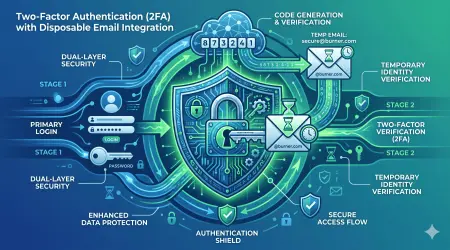
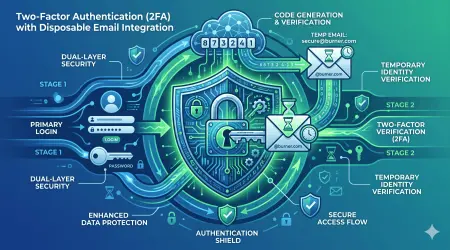
Enable Two-Factor Authentication (2FA)
For your real email and important accounts, always enable two-factor authentication. This adds an extra security layer beyond just your password. Even if someone obtains your password through phishing, they can't access your account without the second authentication factor.
Be Skeptical of Every Email
Adopt a "trust but verify" mindset:
- Question unexpected emails, even from known contacts
- Verify requests for sensitive information through official channels
- Don't click links or download attachments unless you're certain they're legitimate
- When in doubt, visit websites directly rather than clicking email links
Keep Software Updated
Regularly update your:
- Operating system and security patches
- Email client and browser
- Antivirus and anti-malware software
- Mobile device apps and OS
Outdated software contains vulnerabilities that attackers exploit to deliver phishing and malware.
Use Email Aliases
For accounts that need a real email but don't require your primary address, use email aliases. Services like Gmail let you create variations of your address ([email protected]) that still deliver to your main inbox but can be filtered and tracked separately.
Combine this with temporary email addresses for maximum flexibility and security.
How MailDitch's Anonymous Email Address Protects You
MailDitch isn't just another temporary email service—it's a comprehensive privacy protection platform designed specifically to combat spam and phishing threats. Here's what makes MailDitch the best alternative to temp mail services:
Zero Personal Information Required
Unlike services that require registration, MailDitch provides instant email address no registration. Simply visit the site and your anonymous email address is ready. No name, no phone number, no credit card—complete anonymity.
Real-Time Inbox with Zero Delays
Receive verification emails and confirmation codes instantly. MailDitch's temporary mail generator delivers messages in real-time without refresh requirements. Your emails appear the moment they're sent.
Military-Grade Security
All emails passing through MailDitch are encrypted using industry-standard protocols. Your temporary email content is protected during transmission and storage, then permanently deleted according to your settings.
Automatic Malware Scanning
Every incoming email and attachment is automatically scanned for viruses, malware, and phishing attempts. Malicious content is blocked before it reaches your inbox, providing an additional security layer.
Multiple Domain Options
Choose from various email domains to create your perfect anonymous email address. Different domains help you organize different types of signups and make your temporary addresses look more legitimate to registration systems.
Mobile-Friendly Access
Access your disposable email from any device—desktop, tablet, or mobile. MailDitch's responsive design works seamlessly everywhere, and QR codes let you quickly open your temp mail inbox on your smartphone.
Custom Retention Periods
Free users get automatic deletion after 10 minutes to 48 hours. Premium users can customize retention periods or save important emails to favorites for extended access—perfect when you need a temporary email for verification but want flexibility.
No Ads on Premium Plans
Upgrade to ad-free experience with premium plans. Get enhanced features including unlimited history, custom domains, and priority support—all while maintaining complete privacy and anonymity.
Real-World Case Studies: When Email Protection Matters
Let's look at real scenarios where using temporary email addresses prevented serious problems:
Case Study 1: The Data Breach That Didn't Matter
Sarah used her real email to sign up for hundreds of websites over the years. When a popular shopping site experienced a data breach exposing 50 million customer emails, Sarah's primary inbox was compromised. Within weeks, she received targeted phishing emails using personal details from the breach.
Her colleague Mike, however, had used a disposable email address from MailDitch for that same shopping site. When the breach occurred, his temporary email had already been deleted. Zero impact on his real inbox. No phishing attempts. No spam. The breach affected a temporary address that no longer existed.
Lesson: Temporary email for verification creates a firewall between your real identity and potential breaches.
Case Study 2: The Free Trial Nightmare
Jennifer signed up for a "free" software trial using her real email. Despite canceling before the trial ended, the company continued charging her credit card and bombarding her with marketing emails. The unsubscribe link didn't work, and customer service was unresponsive.
Her brother Tom used a temporary mail generator for a similar free trial. After completing the trial, he simply abandoned the temporary email address. No recurring charges (he used a virtual credit card number too), no spam, no hassle with unsubscribing.
Lesson: Free temporary email for verification protects you from unethical marketing practices and subscription traps.
Case Study 3: The Forum Registration Scam
David joined a gaming forum using his real email. Weeks later, that forum's database was hacked. Spammers obtained his email and began sending sophisticated phishing attempts disguised as gaming-related offers. One email claimed to be from Steam support, nearly tricking David into entering his gaming account credentials.
His friend Lisa used an anonymous email address for similar forum registrations. When those forums were compromised, the spammers got temporary addresses that had already expired. Lisa's real inbox remained pristine and secure.
Lesson: Public forums and community sites are high-risk for email harvesting. Always use disposable email addresses for these signups.
Advanced Email Protection Strategies
Once you've mastered basic temporary email usage, consider these advanced strategies:
Strategy 1: Email Address Segmentation
Create a systematic approach to email management:
- Banking Email: Only for financial institutions (never used anywhere else)
- Shopping Email: Exclusively for trusted retailers
- Social Email: For social media and entertainment services
- Temporary Email: For everything else
This segmentation limits damage if any single address is compromised.
Strategy 2: Periodic Email Rotation
Even for semi-trusted services, consider rotating email addresses annually. Update your information at important services to fresh addresses, reducing the accumulated exposure over time.
Temporary email addresses make this effortless—generate new ones whenever needed without commitment.
Strategy 3: Honeypot Email Testing
Create a unique temporary email for each new service or website. If you start receiving spam at that specific address, you know exactly which service sold or leaked your information. You can then take appropriate action (report them, leave negative reviews, stop using their service).
Strategy 4: Use Different Personas
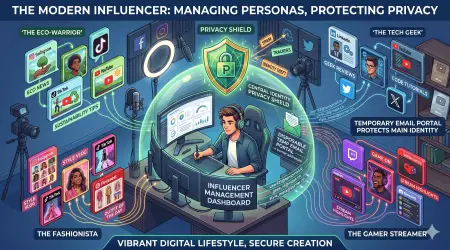
For different types of online activities, use completely different temporary email addresses with unrelated names and domains. This prevents data brokers from connecting your various online activities and building comprehensive profiles.
For maximum anonymity, combine temporary email with VPN services and private browsing modes.
Common Mistakes That Expose Your Email
Avoid these frequent errors that undermine email security:
Mistake 1: Using Real Email "Just This Once" Every "just this once" adds up. One compromised email can lead to years of spam and phishing attempts. Consistency is key—always use temporary email for risky signups.
Mistake 2: Ignoring Privacy Policies Before providing any email, skim the privacy policy. If a site explicitly states they'll share your information with "partners" or "affiliates," that's a red flag. Use a disposable email address instead.
Mistake 3: Clicking Unsubscribe on Spam Never click "unsubscribe" on suspicious spam emails. This confirms your email is active and can lead to more spam. Simply delete or mark as spam. For legitimate newsletters you signed up for, unsubscribe is fine.
Mistake 4: Using Temporary Email for Recovery Emails Don't set a temporary email as your account recovery option for important accounts. If you forget your password and the temporary email has expired, you'll be locked out permanently. Always use your real email for account recovery on critical services.
Mistake 5: Trusting Email Appearances Phishing emails often look identical to legitimate messages. Always verify the sender's actual email address (not just the display name) and never click links without hovering first to see the destination URL.
Mistake 6: Sharing Your Email Publicly Never post your email in public comments, forums, or social media posts. Use contact forms or private messaging instead. If you must share an email publicly, use a temporary address specifically for that purpose.
Measuring Your Success: Are You Really Protected?
How do you know if your email protection strategy is working? Monitor these indicators:
Spam Reduction Metrics
Track your primary inbox spam levels:
- Before Protection: Count spam messages received per week
- After Protection: Count spam messages after implementing temporary email
- Target Goal: Reduce spam by at least 80% within 3 months
If you're consistently using disposable email addresses for new signups, your real inbox spam should dramatically decrease over time.
Phishing Attempt Frequency
Monitor attempted phishing attacks:
- Note how often you receive suspicious emails at your real address
- Track phishing attempts sent to temporary addresses (which don't reach your real inbox)
- Stay alert to increasingly sophisticated attempts
Successful protection means fewer phishing emails reaching your primary inbox.
Time Savings
Calculate time spent managing email:
- Before: Time spent sorting spam, unsubscribing, and deleting junk
- After: Time spent with a cleaner, more manageable inbox
- Benefit: Reclaim hours each month for productive activities
Many users report saving 30-60 minutes per week after implementing temporary email strategies.
Peace of Mind
While harder to quantify, improved peace of mind is valuable:
- Less anxiety about data breaches
- Reduced worry about identity theft
- Confidence in your online security
- Freedom to explore new services without risk
The Future of Email Security in 2026 and Beyond
Email threats continue evolving, but so do protection strategies. Here's what's coming:
AI-Powered Phishing Detection: Machine learning algorithms are getting better at identifying sophisticated phishing attempts, but attackers are also using AI to craft more convincing scams. The arms race continues.
Zero-Knowledge Email Services: More email providers are adopting zero-knowledge encryption, meaning even the service provider can't read your messages. This provides additional protection against breaches.
Temporary Email Adoption: As privacy awareness grows, temporary email services like MailDitch are becoming mainstream tools for everyday internet users—not just tech-savvy individuals.
Biometric Verification: Two-factor authentication is evolving beyond codes and SMS to include biometric factors like fingerprints and facial recognition, making account hijacking more difficult.
Decentralized Email: Blockchain-based email systems promise greater security and user control, though widespread adoption remains years away.
The key takeaway: Email protection isn't a one-time setup but an ongoing practice. Stay informed, stay vigilant, and adapt your strategies as threats evolve.
Take Action Today: Your Email Protection Checklist
Ready to protect your real email from spam and phishing attacks? Follow this action plan:
Immediate Actions (Do Today):
Short-Term Actions (This Week):
Long-Term Actions (This Month):
Ongoing Practices:
- Always evaluate risk before sharing your email
- Use temporary email as your default for non-critical signups
- Stay updated on new phishing tactics and threats
- Regularly review and clean your email account list
- Never let your guard down—vigilance is continuous
Conclusion: Your Inbox, Your Rules
Your email inbox should be a tool that serves you—not a source of stress, spam, and security risks. By implementing the strategies outlined in this guide, particularly the use of temporary email addresses for high-risk signups, you can reclaim control of your digital communication.
Remember the key principles:
- Prevention is easier than cure: Using a disposable email address takes seconds and prevents months of spam
- Anonymity is power: An anonymous email address protects your identity and privacy
- Temporary isn't inferior: Free temporary email for verification is often smarter than using your real address
- Layered security works: Combine temporary email with strong passwords, 2FA, and skepticism for maximum protection
- Tools exist to help: Services like MailDitch make instant email address no registration simple and effective
The threats to your email security are real and growing, but you're not powerless. With the right tools, knowledge, and habits, you can protect your real email from spam and phishing attacks in 2026 and beyond.
Start today with MailDitch—your best alternative to temp mail services and your first line of defense against digital threats. Generate your free temporary email address now and experience what a truly protected inbox feels like.
Your privacy matters. Your security matters. Your inbox deserves better.
Protect your real email. Use MailDitch.
Related Resources
- What is Temporary Email and How Does It Work?
- Complete Guide to Phishing Prevention
- The Best Anonymous Email Address Solutions
- Free Temporary Email for Verification: Step-by-Step Tutorial
- MailDitch vs Other Temp Mail Services: Comparison
About the Author: This guide was created by the MailDitch team, privacy advocates dedicated to helping users protect their digital identities through secure disposable email solutions.
Last Updated: January 2026
Call to Action:
Ready to stop spam and phishing for good?
👉 Generate Your Free Temporary Email Now - No registration required!
Join thousands of users who have already ditched the spam and reclaimed their inbox privacy. Your anonymous email address awaits.
Share This Article: Help others protect their email by sharing this guide on social media. Privacy protection starts with awareness.