Stop Spam Forever: How Burner Mail Service Protects Your Inbox
Your inbox is under attack. Right now, as you're reading this, spam emails are flooding inboxes around the world at a rate of 14.5 billion messages per day. That's 168,000 spam emails every single second.
If you're like most people, your personal email is drowning in:
- Promotional emails you never asked for
- Marketing campaigns from companies you've never heard of
- Phishing attempts disguised as legitimate messages
- Newsletter subscriptions you can't remember signing up for
- "Limited time offers" that never seem to end
- Automated notifications from services you forgot existed
But here's the truth: you don't have to live like this.
There's a powerful solution that stops spam before it ever reaches your real inbox: burner mail service. In this comprehensive guide, you'll discover how disposable email addresses eliminate spam permanently, protect your privacy, and give you back control of your digital life.
No more unsubscribe buttons that don't work. No more spam filters that miss half the junk. No more wasting time sorting through garbage to find legitimate emails.
Just a clean, spam-free inbox—forever.
The $20 Billion Spam Problem
Let's start with the scope of the problem. Spam isn't just annoying—it's a massive global issue affecting billions of people and costing the economy tens of billions of dollars annually.
The Shocking Statistics
Global Spam Volume:
- 320 billion spam emails sent every day worldwide
- 45% of all email traffic is spam
- 85% of spam comes from organized bot networks
- 30% of users receive more spam than legitimate email
- $20.5 billion annual cost to businesses from spam-related productivity loss
Personal Impact:
- Average user receives 121 emails per day, 50-60 of which are spam
- People spend 16 minutes daily sorting through junk email
- That's 6.5 hours per month or 78 hours per year wasted on spam
- 67% of users have missed important emails buried under spam
- 43% of people have unintentionally clicked spam links
The Cost of Spam:
- $0.00001 cost per spam email to sender
- $1.4 billion global spam industry revenue
- 3.8 years average lifespan of a harvested email on spam lists
- 28% of recipients mark legitimate emails as spam by accident (filter fatigue)
These numbers reveal an uncomfortable truth: traditional approaches to fighting spam aren't working.
Why Traditional Spam Filters Fail
Email providers have invested billions in spam filtering technology. Gmail, Outlook, Yahoo—they all use sophisticated algorithms, machine learning, and massive databases to identify spam.
So why does spam still get through?
1. The Arms Race Never Ends
Spammers are constantly evolving:
- AI-generated spam that mimics legitimate email patterns
- Sophisticated phishing that passes authenticity checks
- Domain rotation (new sending domains faster than filters can block)
- Image-based spam that bypasses text analysis
- Legitimate infrastructure exploitation (hacked accounts, cloud services)
Every time filters improve, spammers adapt. It's an endless cycle.
2. False Positives Are Costly
Email providers face a dilemma:
- Too aggressive filtering: Important emails get blocked (customer complaints)
- Too permissive filtering: Spam gets through (customer complaints)
They err on the side of caution, letting questionable emails through rather than blocking legitimate ones. This means you see spam that filters "aren't sure about."
3. New Spam Sources Daily
- 350,000 new domains registered every day
- Many used for spam campaigns
- Takes time for filters to identify and block new sources
- By then, the damage is done and spammers move to new domains
4. Personalized Spam Is Harder to Detect
Modern spam uses:
- Your name and personal details (from data breaches)
- Context from your social media
- Recent activity and interests
- Geographic and demographic targeting
This personalized spam looks legitimate to automated filters because it contains accurate information about you.
5. You're Training the Spammers
Every time you:
- Open a spam email (tracking pixel confirms your email is active)
- Click a link (shows you're engaged)
- Reply or interact (proves you're a real person worth targeting)
You're teaching spammers that their tactics work, encouraging more spam.
The fundamental problem: Traditional spam filtering is reactive, not proactive. It fights spam after it's sent rather than preventing it from being sent in the first place.
Burner mail service solves this by attacking the problem at its root.
How Spam Lists Are Built and Sold
Understanding the spam ecosystem helps you appreciate why burner mail is so effective. Here's how your email ends up on spam lists:
Method 1: Website Signups
The Process:
- You sign up for a website using your real email
- Website stores your email in their database
- Website either:
- Sells your email to marketing companies
- Gets hacked and email database is stolen
- Uses "partners" who then sell your info
- Includes clause in terms of service allowing third-party sharing
The Result: Your email appears on spam lists without your knowledge or explicit consent.
Recent Example: In 2025, a popular shopping app was discovered selling customer emails to 47 different marketing companies. Users reported spam increasing by 300% within weeks of signup.
Method 2: Data Breaches
The Reality:
- 2,200+ data breaches occurred in 2025
- 5.9 billion records exposed
- Email addresses among the most commonly stolen data
- Breached databases sold on dark web marketplaces
- Single email can appear in multiple breach databases
What Happens:
- Company gets breached (retail, healthcare, education, etc.)
- Hackers extract email lists
- Lists sold on dark web ($50-$5,000 depending on quality/size)
- Spammers buy lists and begin campaigns
- Your email receives spam from sources you never signed up with
The Scary Part: You often don't know your email was in a breach until spam suddenly increases.
Method 3: Email Scraping
The Technique: Automated bots crawl the internet looking for email addresses:
- Public websites and forums
- Social media profiles
- Blog comment sections
- Company "Contact Us" pages
- Academic and professional directories
- Government records
- Press releases and news articles
The Speed: A single bot can harvest millions of email addresses per day.
The Scope: If your email appears publicly anywhere online—even once—it's likely been harvested.
Method 4: Dictionary Attacks
The Method: Spammers generate email addresses by combining:
- Common first and last names
- Common username patterns
- Popular email domains
- Sequential numbers
Example Generator:
They send to millions of generated addresses. Bounced emails are discarded. Active emails are added to lists.
The Result: Even if you've never shared your email, it might be guessed and added to spam lists.
Method 5: "Legitimate" Marketing Lists
The Process:
- You sign up for a newsletter or service
- You check "I agree to terms of service" (without reading it)
- Terms include: "We may share your information with trusted partners"
- Company sells your email to marketers
- Those marketers sell to other marketers
- Your email proliferates across hundreds of lists
The Kicker: This is often completely legal because you technically "agreed" to it.
The Spam List Marketplace
Once your email is on lists, it's traded like a commodity:
Email List Pricing (Dark Web/Black Market):
- $10 per 1,000 basic email addresses
- $50 per 1,000 verified/active emails
- $200 per 1,000 targeted emails (specific demographics)
- $1,000+ per 1,000 high-value emails (business executives, high-income individuals)
Your email can be sold dozens or hundreds of times to different spammers.
The Only Way to Break This Cycle: Stop giving out your real email in the first place.
What Is Burner Mail Service and How Does It Work?
Now for the solution. Burner mail service is your weapon against the spam epidemic.
Definition
A burner mail service (also called disposable email, temporary email, or temp mail) is a system that provides temporary, throwaway email addresses that:
- Receive emails like regular inboxes
- Require no personal information to create
- Can be abandoned or "burned" (deleted) at any time
- Automatically expire after a set period
- Create a firewall between your real email and the internet
Think of it as a spam shield that absorbs all the junk so your real inbox stays pristine.
How Burner Mail Works: The Technical Process
Step 1: Instant Generation
Visit a burner mail service like MailDitch:
- No signup required
- No personal information needed
- Random email address generated instantly
- Example:
[email protected]
Step 2: Use It Anywhere
Use your burner email address instead of your real one:
- Website signups
- Newsletter subscriptions
- Free trial registrations
- Downloads and resources
- Forum accounts
- Contest entries
- Any situation where email is requested
Step 3: Receive Messages
Messages sent to your burner address:
- Arrive in your temporary inbox
- Viewable through the burner mail service interface
- Can be read, links clicked, attachments downloaded
- Function exactly like regular email (for receiving)
Step 4: Burn It When Done
When you're finished with the burner email:
- Simply close the browser tab and forget about it
- Email automatically expires after set time (10 min to 48 hours typically)
- All messages permanently deleted
- No spam can reach you because the email no longer exists
- Generate a new burner for your next need
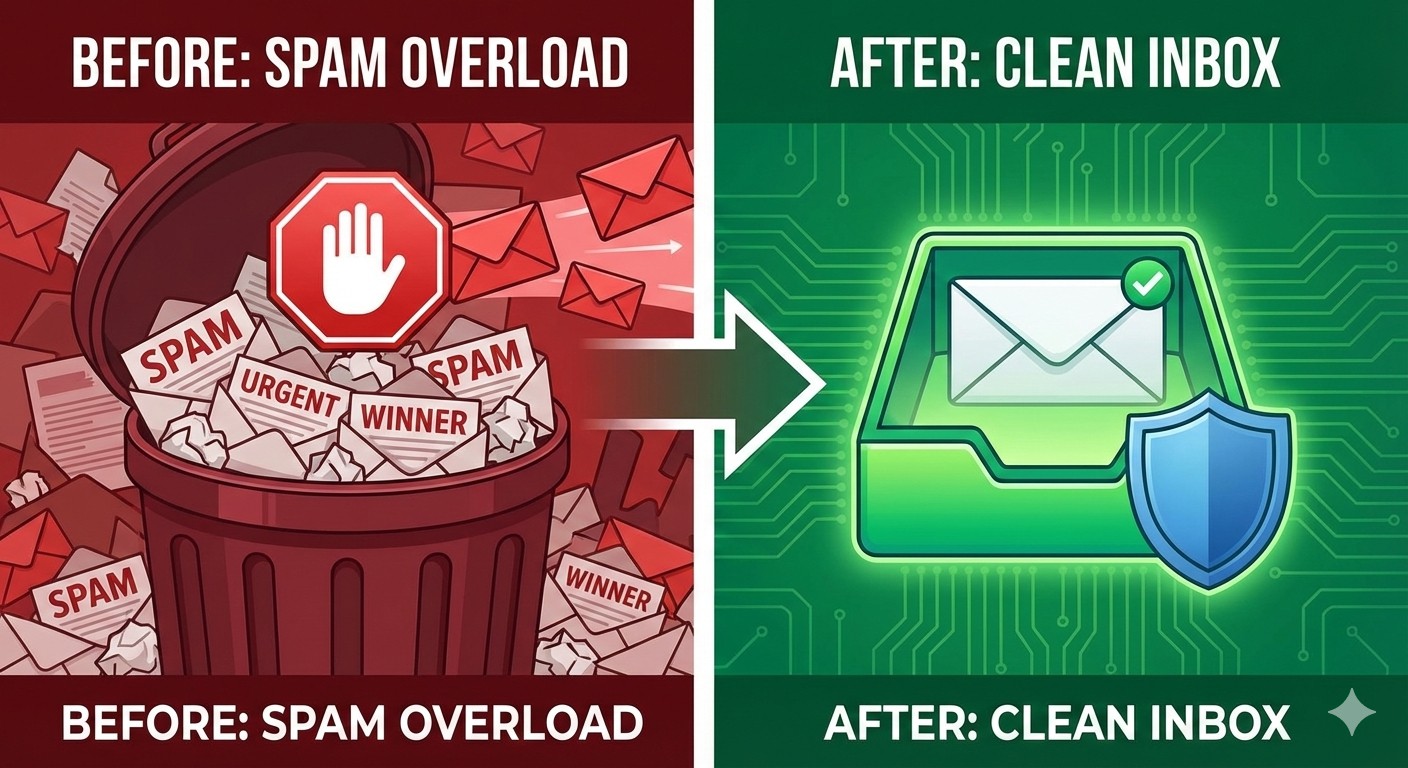
The Beautiful Simplicity: Spam sent to a burner email goes to an address that no longer exists. It's like mailing a letter to a house that's been demolished—the mail has nowhere to go.
The Key Advantage: Proactive Spam Prevention
Traditional email: Reactive (fight spam after it arrives)
- Spam reaches your server
- Filters try to identify it
- Some gets through
- You spend time sorting and deleting
- Your email remains on spam lists forever
Burner mail: Proactive (prevent spam from ever reaching your real inbox)
- Spam sent to burner address only
- Your real email never exposed
- Burner expires, taking spam with it
- Zero time spent managing spam
- Your real email never added to spam lists
It's the difference between building a wall vs. constantly repairing damage after attacks.
Step-by-Step: Using Burner Mail to Stop Spam
Let's walk through exactly how to implement burner mail service into your daily routine:
Phase 1: Protect Future Signups
Step 1: Identify Spam-Prone Situations
Before entering your email anywhere, ask:
- Is this a trusted company I'll use long-term?
- Do I absolutely need ongoing communication from them?
- Is my real email truly necessary here?
If the answer to any of these is "no," use a burner.
High-spam-risk scenarios:
- New websites or services you're trying
- Free trials and promotional offers
- Content downloads (ebooks, templates, reports)
- Newsletter subscriptions (test before committing)
- Online shopping from unfamiliar retailers
- Forum and community registrations
- Contest and giveaway entries
- App signups you might not keep
- Public Wi-Fi access forms
Step 2: Generate Your Burner Email
Visit https://mailditch.com:
- Page loads with burner email already generated
- Copy the email address
- Optional: Click "Change" if you want a different one
- Keep the tab open or bookmark the inbox URL
Step 3: Use Burner Instead of Real Email
Paste your burner email address into signup forms:
- Treat it exactly like your real email
- Websites can't tell it's temporary
- Works for verification codes and confirmation emails
- Receive all necessary communications
Step 4: Complete Your Activity
- Receive verification emails in your burner inbox
- Click confirmation links
- Access whatever you signed up for
- Burner email has served its purpose
Step 5: Burn It
When you're done:
- Close the burner inbox tab (or keep it for later use)
- Let it expire naturally (automatically deletes)
- Any future spam goes to non-existent address
- Your real inbox remains clean
Repeat for every new signup moving forward.
Phase 2: Clean Up Existing Spam Sources
Now address the spam you're already receiving:
Step 6: Audit Current Spam
For one week, track your spam:
- Where is it coming from?
- Which companies/services?
- What percentage of your email is spam?
- Which spam sources are worst offenders?
Create a list of spam sources to address.
Step 7: Unsubscribe from Legitimate Sources
For real companies you don't want emails from:
- Use their unsubscribe link (usually works for legitimate businesses)
- Give them 10 days to process
- Mark as spam if they continue
Step 8: Identify Accounts to Migrate
For accounts currently using your real email that don't need to:
- Low-priority shopping sites
- Forums you rarely use
- Services you're not committed to
- Anything that sends excessive emails
These are candidates for burner email migration.
Step 9: Strategic Migration
For accounts you want to keep but with less spam:
Option A: Update Email Address
- Generate a burner email at MailDitch
- Log into the account
- Update email address to burner
- Use MailDitch Premium if you need long-term access
- Spam now goes to burner, not your real inbox
Option B: Create New Account
- Generate burner email
- Create new account with burner
- Migrate important data/settings
- Abandon old account
- Old account gets spam, but you don't see it
Option C: Simply Abandon For accounts you don't really need:
- Stop using them
- Let spam accumulate in your real inbox temporarily
- Eventually companies clean inactive emails from lists
- Or mark all future emails from them as spam
Step 10: Maintain Inbox Hygiene
Going forward:
- Default to burner for all new signups
- Real email only for truly important accounts
- Regularly audit and unsubscribe from new spam sources
- Never use real email for high-risk situations
Phase 3: Advanced Spam Protection Strategies
Step 11: Create Purpose-Specific Burners
Instead of one burner for everything, segment by purpose:
Shopping Burner:
- Use for e-commerce signups
- Track shopping-related emails separately
- Easier to find order confirmations
- Can be longer-lasting if needed
Testing Burner:
- For service trials and testing
- Short-lived (10-30 minutes)
- Burn immediately after trial signup
- Prevents trial-to-paid conversion reminders
Newsletter Burner:
- Subscribe to newsletters you're curious about
- Evaluate quality for a few weeks
- If valuable, re-subscribe with secondary (not primary) email
- If not valuable, let burner expire and spam dies with it
Forum Burner:
- Forum registrations and community signups
- Can be long-term if you use MailDitch Premium
- Protects real email from forum database breaches
The advantage: Organization and customized expiration times for different purposes.
Step 12: Use Email Aliases for Semi-Trusted Services
For services you trust somewhat but don't want unlimited access to your inbox, use email aliases:
Gmail Users: Add "+tag" before @gmail.com:
All deliver to your main inbox, but you can:
- Create filters to auto-sort them
- Track which services spam you
- Block specific aliases if they get compromised
Combine with burners: Use aliases for semi-trusted, burners for untrusted.
Step 13: Implement the Two-Email System
Most effective spam protection combines two approaches:
Email 1: Real Primary Email
- Only for critical accounts (bank, government, healthcare, work)
- Never given to marketing or commercial services
- Heavily protected and monitored
- Ultra-clean inbox
Email 2: Burner Mail Service
- For everything else
- Disposable and temporary
- No attachment to real identity
- Spam goes here and dies when burner expires
Optional Email 3: Secondary Real Email
- For services you use regularly but aren't critical
- E-commerce, streaming, social media
- Accepts some spam but not mixed with critical communications
This tiered system provides maximum protection.
Real-World Success Stories: Spam Eliminated
Let's see how real people used burner mail service to reclaim their inboxes:
Success Story 1: The Entrepreneur's Transformation
Sarah's Problem: As a small business owner, Sarah's business email received 200+ emails daily, with 150+ being spam. She was spending 90 minutes per day just sorting email, missing important client communications buried under junk.
Her Solution:
- Created fresh business email for clients and critical vendors only
- Updated less-critical vendors to MailDitch burner addresses
- Used burner email for all new signups (industry resources, tools, events)
- Migrated 47 accounts from real email to burners
Results:
- Spam reduced from 150 to 12 per day (92% reduction)
- Time spent on email dropped from 90 to 25 minutes daily (saving 65 minutes/day)
- Zero missed client emails in 6 months post-implementation
- Estimated 325 hours saved annually
Sarah's Quote: "Burner mail didn't just clean my inbox—it saved my business. I can actually focus on clients instead of spam."
Success Story 2: The Privacy-Conscious Job Seeker
Marcus's Challenge: During his 4-month job search, Marcus applied to 80+ positions and signed up for 12 job boards. His personal email exploded to 300+ messages daily, 95% from recruiters for irrelevant positions or scam opportunities.
His Strategy:
- Created tiered system:
- Real email: Dream companies and serious opportunities only
- Secondary email: Major trusted job boards (LinkedIn, Indeed)
- Burner emails: Sketchy job boards, recruiter inquiries, career resources
- Used different burner for each questionable job board
- When one got spammy, identified source and burned it
Results:
- Maintained clean primary inbox throughout job search
- Could actually see legitimate opportunities instead of buried under spam
- Landed dream job after 4 months
- After getting job, simply stopped checking burners
- Spam problem disappeared instantly (wasn't in real email)
- No months of unsubscribing or dealing with recruiter spam
Marcus's Quote: "Burner email let me cast a wide net without drowning in spam. When I got my job, I just walked away from the burners—spam problem solved."
Success Story 3: The Recovering Inbox Hoarder
Jessica's Situation: Jessica had 78,000 unread emails in her personal inbox accumulated over 12 years. She received 400-500 emails daily, couldn't find anything important, and had completely given up on email management.
Her Transformation:
- Declared "email bankruptcy" on old inbox (archived everything)
- Created brand new email for future critical communications
- Implemented burner-first policy using MailDitch
- Over 3 months, migrated 200+ accounts to burners or unsubscribed
- Old email kept receiving spam, but Jessica stopped checking it
Results:
- New inbox stays under 20 emails daily (down from 400-500)
- Inbox zero achieved regularly (first time in 12 years)
- Response time to important emails improved from days to hours
- Stress and email anxiety eliminated
- Old inbox continued receiving 400+ emails daily—she never saw them
Jessica's Quote: "Burner mail gave me a fresh start. My new inbox is what email was supposed to be: useful, manageable, and actually helpful."
Success Story 4: The College Student's Privacy Protection
Alex's Challenge: University required signing up for 40+ online educational platforms, tools, and services. Within one semester, Alex's student email was flooded with EdTech spam, causing them to miss crucial class announcements and assignment notifications.
Alex's Solution:
- Used student email only for official university communications
- Created burner emails for each educational tool category:
- One for textbook companion sites
- One for study apps
- One for academic resource downloads
- One for student discounts and deals
- Used MailDitch Premium for semester-long burners
- New burners each semester
Results:
- Student inbox returned to manageable levels (15-20 emails/day vs 150+)
- Zero missed assignments or class announcements
- 4.0 GPA maintained (previously struggling due to missed notifications)
- Privacy protected from EdTech data collection
- Each semester started fresh with new burners
Alex's Quote: "Burner email helped my grades. Seriously. When I stopped missing assignments buried under spam, my academic performance improved dramatically."
How MailDitch's Burner Mail Service Stops Spam
Not all burner mail services are created equal. Here's why MailDitch is the ultimate spam-fighting solution:
1. Instant Email Address No Registration
The Spam Prevention Benefit:
- No personal info means no data to be breached or sold
- Can't be traced back to your real identity
- Zero connection between burner and your actual email
- Each burner is completely anonymous
How It Works: Visit MailDitch, and your burner email is waiting. No forms, no signup, no personal information ever requested.
2. Unlimited Burner Generation
The Spam Prevention Benefit:
- Generate new burners instantly for different purposes
- If one burner gets compromised, others remain safe
- Never reuse burners that might be on spam lists
- Fresh start anytime you need it
No Limits: Free users get unlimited burner creation. Create dozens, hundreds, thousands—whatever you need.
3. Automatic Spam Death
The Spam Prevention Benefit:
- Emails automatically delete after expiration
- Spam sent to expired burners bounces back to sender
- Multiple bounces get you removed from spam lists
- Future spam to that burner goes nowhere
Customizable Expiration:
- 10 minutes for ultra-short needs
- 30 minutes to 48 hours for most uses
- Custom durations for Premium users
- Save important emails to favorites before expiration
4. Real-Time Inbox Updates
The Spam Prevention Benefit:
- See emails arrive instantly
- No need to give burner access to your device
- Can verify accounts and complete signups quickly
- Then burn the address before spam starts
Zero Delay: MailDitch delivers messages the moment they arrive. No refresh needed, no waiting.
5. Multiple Domain Options
The Spam Prevention Benefit:
- Some sites block known temporary email domains
- MailDitch offers multiple domain choices
- Switch domains if one gets blocked
- Premium users get custom domains
Flexibility: If one domain doesn't work, instantly try another. Spam doesn't know which domain you'll use next.
6. Built-In Malware Protection
The Spam Prevention Benefit:
- Spam often contains viruses and malware
- MailDitch scans every incoming email and attachment
- Malicious content blocked before it reaches you
- Browse emails safely even from unknown senders
Automatic Security: Every email and attachment scanned. No user action required.
7. Email History Tracking
The Spam Prevention Benefit:
- Track which burners you've created
- Remember which burner was used where
- Identify sources if spam appears
- Return to burner inbox if needed
Never Lose Track: See your recent burners, their status, and message counts.
8. Premium Long-Term Burners
The Spam Prevention Benefit:
- Some accounts need burners that last longer
- Premium lets you keep burners indefinitely
- Save important messages to favorites
- Still maintains spam protection
When You Need It: Not all signups are one-time. Premium burners give you flexibility without sacrificing spam protection.
9. No Ads on Premium
The Spam Prevention Benefit:
- Ads can track you and compromise privacy
- Ad-free experience eliminates this vector
- Cleaner, faster interface
- Focus on spam protection, not monetization
Pure Privacy: Premium removes all ads for distraction-free burner email experience.
10. Mobile-Responsive Access
The Spam Prevention Benefit:
- Check burners on any device
- No app download required (no permissions to grant)
- Access from phone, tablet, desktop
- QR codes for quick mobile access
Spam Protection Anywhere: Use burner mail on the go. Stop spam from mobile signups just as easily.
Advanced Spam Protection Strategies
Once you've mastered basic burner mail usage, level up with these advanced techniques:
Strategy 1: The Honeypot System
The Concept: Create unique burner emails for each new service to identify spam sources.
How It Works:
- Generate burner with identifiable pattern (e.g.,
[email protected]) - Use it for specific signup only
- If spam appears at that address, you know exactly which service leaked/sold your info
- Burn that address immediately
- Report the company or leave negative reviews
- Use different burner for them if needed
The Result: Track exactly which companies are trustworthy and which sell your data.
Strategy 2: The Rotation Schedule
The Concept: Regularly rotate burner emails even before they get spammy.
How It Works:
- Use a burner for a set time period (1 month, 3 months, 6 months)
- Before expiration, generate new burner
- Update accounts to new burner
- Burn old address
- Any accumulated spam dies with old burner
The Result: Proactive spam prevention. Never let spam build up in the first place.
Strategy 3: The Decoy Email
The Concept: Give some websites decoy burner emails to protect your real burner.
How It Works:
- Create "real" burner for actual communications
- Create separate decoy burner
- Use decoy for high-risk or marketing-heavy services
- Keep real burner address private
- Decoy absorbs spam, real burner stays clean
The Result: Layer of protection even within your burner system.
Strategy 4: The Time-Limited Challenge
The Concept: Use ultra-short burners (10-30 minutes) for everything possible.
How It Works:
- Generate 10-minute burner
- Complete signup and verification quickly
- Burner expires before most spam campaigns even start
- Spam sent later bounces (no valid address)
The Result: Maximum spam prevention through minimal exposure window.
Strategy 5: The Purchase-Specific Burner
The Concept: Create burner specifically for single purchase.
How It Works:
- Shopping from a new or unfamiliar retailer
- Generate burner specifically for this order
- Receive order confirmation and shipping updates
- Once package arrives and transaction complete
- Burn the email
- No future marketing from that retailer
The Result: Complete purchase without lifetime of promotional emails.
Strategy 6: The Account Compartmentalization
The Concept: Create completely separate digital identities for different life areas.
How It Works:
Identity 1: Professional
- Real email for career, networking, professional development
- Never used for personal or shopping
Identity 2: Personal
- Secondary real email for friends, family, personal social media
- Separate from professional identity
Identity 3: Shopping
- Burner emails for e-commerce
- Different burner for different retailers or types of purchases
- No connection to professional or personal identities
Identity 4: Testing/Temporary
- Short-term burners for everything else
- Burned immediately after use
The Result: Complete compartmentalization prevents any single spam source from accessing multiple aspects of your life.
Measuring Your Spam Elimination Success
How do you know if burner mail is working? Track these metrics:
Metric 1: Daily Spam Count
Before Burner Mail: Count spam emails received per day for one week. Calculate average.
After Burner Mail: Track daily spam for one week after implementing burner strategy. Calculate new average.
Target Goal: 80-90% reduction in spam within first month of consistent burner usage.
Example:
- Before: 120 spam emails/day average
- After: 15 spam emails/day average
- Reduction: 87.5%
Metric 2: Time Spent Managing Email
Before Burner Mail: Track time spent sorting, deleting, and managing spam for one week.
After Burner Mail: Track time spent on same activities after implementing burners.
Target Goal: Save at least 10-15 minutes daily (60-90 minutes weekly).
Example:
- Before: 45 minutes/day on email management
- After: 15 minutes/day
- Time Saved: 30 minutes daily = 182 hours annually
Metric 3: Inbox Cleanliness
Before Burner Mail:
- Total emails in inbox
- Unread count
- Percentage that is spam
After Burner Mail:
- Reduced total emails
- Manageable unread count
- Higher percentage of legitimate email
Target Goal: Achieve and maintain inbox zero or near-zero regularly.
Metric 4: Spam Source Identification
Tracking: When spam appears in real inbox:
- Identify the source
- Note if it's from account you can migrate to burner
- Track new vs. persistent spam sources
Target Goal: New spam sources decrease to near-zero as you stop giving out real email.
Metric 5: Stress and Anxiety Levels
Subjective but Important:
- Do you dread checking email less?
- Are you finding important emails more easily?
- Is email more useful and less overwhelming?
- Do you feel more in control of your inbox?
Target Goal: Email becomes a useful tool again, not a source of stress.
Common Mistakes to Avoid
Even with burner mail, users can make mistakes that reduce effectiveness:
Mistake 1: Using Burner for Critical Accounts
The Problem: Using burner email for banking, healthcare, or government accounts that require long-term access.
The Risk: If burner expires and you forget credentials, account recovery becomes impossible without access to the email.
The Solution: Use real email for any account where you might need password recovery or long-term communications. Use burners only for non-critical signups.
Mistake 2: Reusing the Same Burner Everywhere
The Problem: Using one burner address for dozens of signups over extended time.
The Risk: Defeats the purpose—still building comprehensive profile across multiple services. If one source spams you, entire burner is compromised.
The Solution: Generate new burners frequently. Different burners for different purposes or different types of services.
Mistake 3: Not Burning After Use
The Problem: Keeping burner emails alive indefinitely "just in case."
The Risk: Spam accumulates even in burner inboxes. Eventually becomes another inbox to manage.
The Solution: Burn emails proactively. If you need longer-term access, use MailDitch Premium with favorites feature, but still burn when truly done.
Mistake 4: Mixing Burners with Real Identity
The Problem: Using real name, real phone, real address along with burner email.
The Risk: Companies can still build profiles and track you even without your real email.
The Solution: When using burner email for privacy, be consistent—use fake or minimal personal information elsewhere too (where legal).
Mistake 5: Not Tracking Which Burner Was Used Where
The Problem: Generating burners without noting what they're for, then forgetting which was used where.
The Risk: If you need to access an account later, can't remember the email. Can't identify spam sources.
The Solution: Use MailDitch's history feature. For critical accounts (even with burners), note in password manager which burner was used.
Mistake 6: Trusting All Burner Services Equally
The Problem: Using sketchy temporary email services that might log data or compromise privacy.
The Risk: Defeating the purpose of privacy protection if the burner service itself is untrustworthy.
The Solution: Use reputable services like MailDitch with clear privacy policies, no data logging, and strong security practices.
Mistake 7: Expecting Instant Total Spam Elimination
The Problem: Expecting real inbox to become spam-free immediately after starting to use burners.
The Risk: Discouragement and giving up on burner strategy.
The Solution: Understand that existing spam will continue for a while. Burners prevent new spam. Gradually migrate existing accounts and unsubscribe from current spam sources.
The Future of Spam and Burner Mail
As we progress through 2026 and beyond, both spam and spam-fighting technologies are evolving:
Emerging Spam Threats
AI-Generated Hyper-Personalized Spam:
- Machine learning creates spam tailored specifically to you
- Uses information from data breaches and social media
- Nearly indistinguishable from legitimate email
- Even sophisticated filters struggle to identify
Deepfake Email Scams:
- AI-generated voice and video in email
- Impersonates people you know
- Extremely convincing and dangerous
- Requires new verification strategies
IoT Device Spam:
- Smart devices sending spam directly
- Harder to filter at email level
- Requires device-level protection
The Solution: Burner mail becomes even more critical as spam sophistication increases. If spammers don't have your real email, AI personalization doesn't matter.
Evolving Burner Mail Technology
Blockchain-Based Disposable Identities:
- Decentralized burner emails
- Even more private and secure
- No central service to trust
- User retains complete control
AI-Powered Auto-Burning:
- Burner services automatically detect when email is no longer needed
- Intelligent expiration based on usage patterns
- Zero manual management required
Integration with Password Managers:
- Burner generation built into signup flows
- Automatic tracking of which burner used where
- Seamless password and burner management
Cross-Platform Synchronization:
- Access same burner from multiple devices
- Synchronized history and favorites
- Mobile-first burner experiences
The Trend: Burner mail is becoming mainstream privacy tool, not just for tech-savvy users.
Your Spam-Free Action Plan
Ready to stop spam forever? Here's your step-by-step implementation guide:
Week 1: Foundation (Understanding and First Steps)
Day 1-2: Audit Current Situation
- [ ] Count spam emails received daily for baseline
- [ ] Identify top 10 spam sources
- [ ] Note time spent managing email daily
- [ ] List accounts that could use burner instead
Day 3-4: Start Using Burners
- [ ] Visit https://mailditch.com
- [ ] Generate your first burner email
- [ ] Use it for next signup instead of real email
- [ ] Experience the process
Day 5-7: Develop Burner Habit
- [ ] Use burner for every new signup this week
- [ ] Generate multiple burners for different purposes
- [ ] Track how many spam emails you prevented
Week 2: Migration (Cleaning Up Existing Spam)
Day 8-10: Unsubscribe from Legitimate Spam
- [ ] Use unsubscribe links on real marketing emails
- [ ] Give companies 10 days to process
- [ ] Mark as spam if they continue
Day 11-14: Migrate High-Spam Accounts
- [ ] Identify 10 accounts sending most spam
- [ ] Update email addresses to burners (or abandon accounts)
- [ ] Note improvement in spam levels
Week 3-4: Optimization (Fine-Tuning Strategy)
Day 15-21: Implement Advanced Strategies
- [ ] Create purpose-specific burners (shopping, testing, newsletters)
- [ ] Set up email tiers (critical, semi-trusted, burner)
- [ ] Develop personal burner workflow
Day 22-30: Full Integration
- [ ] Make burner email your default
- [ ] Real email only for critical accounts
- [ ] Measure spam reduction results
- [ ] Calculate time savings
Ongoing: Maintenance (Keeping Inbox Clean)
Weekly:
- [ ] Review any new spam sources in real inbox
- [ ] Unsubscribe or migrate to burners as needed
- [ ] Generate fresh burners for new needs
Monthly:
- [ ] Audit burner usage and effectiveness
- [ ] Refine strategy based on results
- [ ] Celebrate your spam-free inbox!
Quarterly:
- [ ] Deep clean remaining spam sources
- [ ] Evaluate if Premium features would help
- [ ] Share success with others
Conclusion: Your Spam-Free Future Starts Now
Spam doesn't have to be a permanent part of your digital life. You don't have to accept that 45% of your email is junk. You don't have to waste 16 minutes every day sorting through garbage.
Burner mail service is the solution you've been looking for.
By implementing the strategies in this guide, you can:
✅ Stop spam before it starts by never giving out your real email
✅ Reclaim hours of time previously wasted on email management
✅ Protect your privacy from data collection and tracking
✅ Enjoy a clean inbox with only legitimate, wanted emails
✅ Browse the internet freely without spam consequences
✅ Never miss important emails buried under junk again
The transformation isn't complicated:
- Visit https://mailditch.com for an instant burner email
- Use burners instead of real email for risky signups
- Watch spam disappear from your real inbox
- Experience what email was meant to be: useful, manageable, spam-free
Don't wait until your inbox is completely unmanageable. Every day you delay is another day of spam accumulating, another 16 minutes wasted, another important email potentially missed.
Start today. Start now.
Your spam-free inbox is waiting at MailDitch. Instant burner email, no registration required, completely free.
👉 Get Your Burner Email Now and stop spam forever.
Ditch the spam. Keep your privacy. Reclaim your inbox.
Related Articles
- How to Protect Your Real Email from Spam and Phishing Attacks
- The Ultimate Guide to Free Temporary Email for Verification
- Stay Anonymous Online with Instant Email Address No Registration
- Digital Privacy in 2026: Why You Need a Temporary Mail Generator
- Best Alternative to Temp Mail: Comparing Top Services
Take Action Against Spam
Quick Links:
About This Guide: Created by the MailDitch team to help users eliminate spam and reclaim their inboxes through the burner mail service.
Last Updated: January 2026
Share this guide with anyone struggling with spam. Help them discover the power of burner mai
Questions about stopping spam with burner mail? Comment below and our team will help you achieve your spam-free inbox!