
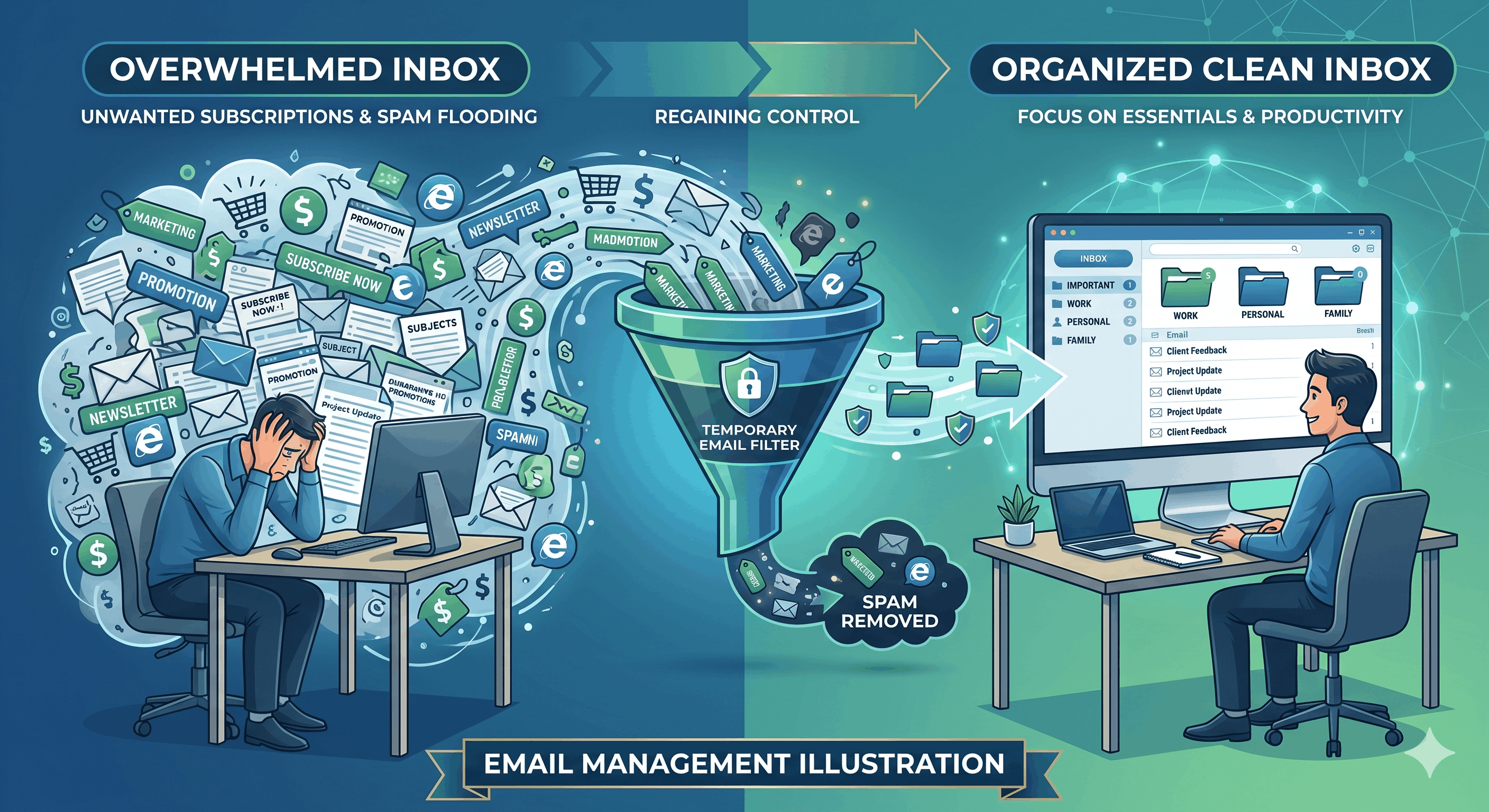
Email Marketing Overload: Using Temp Mail to Control Your Subscriptions
Your inbox has become unbearable.
Every morning, the same nightmare:
- 47 unread emails before 9am
- 43 of them are marketing
- 2 are actual important messages (buried)
- 2 are spam that slipped through
You scroll, scan subject lines desperately searching for the real emails, delete dozens of marketing messages, and tomorrow it starts again. This is email marketing overload.
How did it get this bad?
Every time you:
- Made an online purchase → "Join our mailing list" (pre-checked)
- Downloaded a resource → "Subscribe for more content"
- Signed up for a service → "Get exclusive offers"
- Entered a contest → "Receive updates about prizes"
- Created an account → "Marketing emails" (opt-out buried in settings)
Result: 50-100 marketing emails daily.
The statistics are alarming:
- Average person receives 121 emails daily
- 67% are marketing or promotional
- 81 marketing emails per day per person
- Time spent managing: 28 minutes daily
- Annual time wasted: 170+ hours
- Productivity cost: $3,400/year (based on $20/hour value)
And it's getting worse:
- Marketing emails increased 43% from 2023 to 2026
- Average person subscribed to 78 email lists (most unknowingly)
- Only 12% of people successfully unsubscribe from unwanted emails
- 58% simply abandon email addresses when overwhelmed
But there's a better solution: temporary email.
Used strategically, temporary email addresses give you complete control over marketing subscriptions. You receive the deals and content you actually want, while eliminating unwanted marketing noise. You reclaim your primary inbox for real communications while maintaining access to promotional offers through organized temporary emails.
This comprehensive guide reveals how to use temporary mail to defeat email marketing overload. You'll learn why traditional solutions fail, how temporary email solves the problem completely, implementation strategies for different scenarios, and proven systems for maintaining long-term control.
Whether you're drowning in marketing emails right now or want to prevent future overload, this guide will transform your relationship with email marketing forever.
Understanding Email Marketing Overload
Before solving the problem, let's understand why it's so bad.
The Email Marketing Explosion
Why Marketing Emails Have Exploded:
Reason 1: Email Marketing ROI
Average ROI of Email Marketing: $36 for every $1 spent

Why This Matters:
- Highest ROI of any marketing channel
- Better than social media (3x)
- Better than paid search (2x)
- Better than content marketing (4x)

Result: Every company invests heavily in email
Consequence: Your inbox is primary marketing battleground
Reason 2: Low Cost
Cost to Send Email: $0.001 per email (or less)

Economics:
- Send 10,000 emails: $10 cost
- 2% conversion rate: 200 conversions
- Average order: $50
- Revenue: $10,000
- Profit: $9,990

Conclusion: Companies send MORE, not less
Your inbox: Collateral damage
Reason 3: Data-Driven Optimization
Modern Marketing Automation:
- AI predicts best send times
- Personalization increases opens
- A/B testing improves clicks
- Segmentation targets precisely
- Retargeting follows you everywhere

Translation: More emails, better targeted, harder to ignore
Reason 4: Pre-Checked Boxes and Dark Patterns
Sneaky Tactics:
☑ "Send me marketing emails" (pre-checked)
☑ "I agree to receive offers from partners" (buried in terms)
☑ "Keep me updated" (vague, actually marketing)

Legal: Technically compliant (barely)
Ethical: Questionable
Effective: Very
Your inbox: Overwhelmed
Reason 5: List Sharing and Selling
What Happens to Your Email:
1. You subscribe to Company A
2. Company A sells email to Data Broker
3. Data Broker sells to Companies B, C, D, E, F
4. You receive marketing from 6 companies
5. Each of those shares your email
6. Exponential growth

Result: One signup = 20+ marketing senders eventually
Why Traditional Solutions Fail
Failed Solution 1: Unsubscribe Links
The Problem:
Time Investment:
- Average emails to unsubscribe from: 78
- Time per unsubscribe: 1-2 minutes
- Total time needed: 78-156 minutes

Process:
1. Click unsubscribe (if you can find it)
2. "Are you sure?" (yes)
3. "Tell us why" (skip if possible)
4. "Reduce frequency instead?" (no, unsubscribe)
5. "Processing..." (wait)
6. "Check email to confirm" (another step)
7. Finally unsubscribed (maybe)

Effectiveness:
- 40% of unsubscribes don't work
- Many companies re-add you later
- Some ignore unsubscribe completely
- Takes weeks to see reduction
- New signups replace old ones
Failed Solution 2: Spam Filters
The Problem:
What Filters Miss:
✗ Legitimate marketing (you did subscribe)
✗ Transactional emails with marketing
✗ Emails from companies you bought from
✗ "Updates" that are actually marketing

What Filters Catch (False Positives):
✓ Important emails from new senders
✓ Receipts and confirmations
✓ Newsletter you actually want

Effectiveness: 60% at best
Side effects: Miss important emails
Conclusion: Imperfect solution
Failed Solution 3: Email Folders and Filters
The Problem:
Setup Required:
- Create rules for each sender
- Constantly update as new senders appear
- Manage folders
- Remember to check folders

Reality:
- 78 senders = 78 rules minimum
- New senders bypass rules
- Folders become digital landfills
- Still takes time to process

Effectiveness: Organizes, doesn't eliminate
Time saved: Minimal
Better solution needed: Yes
Failed Solution 4: Secondary Email Address
The Problem:
Approach: Use secondary email for signups

Issues:
- Still fills with marketing
- Still need to check it
- Deals and offers buried
- Defeats the purpose
- Just shifts problem

Effectiveness: 30%
Improvement: Marginal
Sustainability: Poor
Failed Solution 5: Email Bankruptcy
The Problem:
Drastic Measure: Delete everything, start over

Consequences:
- Lose important emails
- Break account logins
- Reset confirmations needed
- Relationship damage (missed emails)
- Doesn't prevent recurrence

Effectiveness: 0% (temporary relief only)
Long-term solution: No
Recommended: Never
The Temporary Email Solution
Now we arrive at the actual solution that works.
How Temporary Email Solves Marketing Overload
The Core Strategy:
Primary Email: Reserved for real communications
Temporary Email: Used for all signups that might send marketing

Result:
- Primary inbox: Clean
- Marketing emails: Contained in temp inboxes
- Control: Complete
- Flexibility: Maximum
Why This Works:
Benefit 1: Compartmentalization
Traditional Approach:
Primary Email receives:
- Important work emails
- Personal messages
- 81 marketing emails daily
= Chaos, overwhelm, missed emails

Temporary Email Approach:
Primary Email receives:
- Important work emails
- Personal messages
= Clean, manageable, zero marketing

Temporary Emails receive:
- Marketing (organized by category)
= Easy to check when YOU want deals
Benefit 2: Disposability
Marketing gets too aggressive?
→ Burn temp email
→ Generate new one
→ 3 seconds to fresh start

Never possible with primary email
Benefit 3: Selective Access
Want to see deals from clothing stores?
→ Check clothing temp email

Don't care about that category this week?
→ Don't check, no guilt

Want ALL deals?
→ Check all temp emails

Primary inbox: Always clean regardless
Benefit 4: Zero Unsubscribe Effort
Traditional: 78 unsubscribes × 2 minutes = 156 minutes
Temporary Email: Burn email = 3 seconds

Time saved: 155 minutes and 57 seconds
Effectiveness: 100%
Benefit 5: Organized by Interest
Create category-specific temp emails:
- [email protected]
- [email protected]
- [email protected]
- [email protected]

Benefit: Know exactly where to find specific deals
No digging through mixed inbox
Implementation Strategies
Let's implement temporary email for subscription control.
Strategy 1: The Category System
Setup:
Step 1: Define Your Categories
Analyze current subscriptions:
- What topics interest you?
- What deals do you actually use?
- What categories exist?

Common Categories:
✓ Shopping/Retail (clothing, electronics, etc.)
✓ Travel (airlines, hotels, booking sites)
✓ Tech/Software (SaaS, apps, tools)
✓ Content/Learning (newsletters, courses)
✓ Food/Dining (restaurants, delivery)
✓ Entertainment (streaming, events)
✓ Finance (deals, credit cards)
✓ Fitness/Wellness (gym, supplements)

Choose 4-8 categories that match your interests
Step 2: Create Category Temp Emails
Naming Convention:
[category][email protected]

Examples:
- [email protected]
- [email protected]
- [email protected]
- [email protected]

Benefits:
✓ Clear purpose from name
✓ Easy to remember
✓ Organized automatically
✓ Can share with family (same interests)
Step 3: Use Category Emails for Signups
New signup decision tree:

"Do I want marketing from this?"
  ↓
NO → Use MailDitch 10-minute email (burn immediately)
YES → "What category?"
  ↓
Category identified → Use category temp email
Step 4: Check on Your Schedule
Set Your Own Rhythm:

Daily Checkers:
- Morning: Check relevant category for today's deals
- Example: Monday = shopping, Tuesday = tech

Weekly Checkers:
- Sunday: Review all categories
- Grab deals for the week
- Ignore rest

Monthly Checkers:
- First of month: Check all
- Big purchases only
- Ignore daily noise

Your Choice: Check when YOU want
Not when marketers want you to
Real-World Example:
User: Sarah
Categories: 4 (Shopping, Travel, Tech, Food)
Temp Emails: 4 dedicated addresses
Primary Inbox Marketing: 0 emails
Category Temp Emails: 60-80 marketing emails daily
Check Frequency: Sunday mornings (20 minutes)
Deals Found: 2-3 useful ones weekly
Conversion: Only what she actually wants
Primary Inbox: Clean and functional
Satisfaction: 10/10
Strategy 2: The Tier System
For Different Priority Levels:
Tier 1: Important but Marketing-Heavy
Examples:
- Airlines (need booking confirmations + deals)
- Banks (need alerts + offers)
- Utilities (need bills + promotions)

Solution: MailDitch Premium
- Extended retention (keep confirmations)
- Separate from spam but accessible
- Professional appearance
- Can search when needed

Email: [email protected]
Tier 2: Want Deals, Don't Need Reliability
Examples:
- Clothing stores
- Restaurant promotions
- Entertainment deals

Solution: MailDitch Free (standard retention)
- Check when you want deals
- Don't care if some expire
- Burn and replace if too spammy

Email: [email protected]
Tier 3: One-Time Signups
Examples:
- Download gated content
- Enter contest
- Access promotion

Solution: MailDitch 10-minute email
- Get confirmation
- Access content/promo
- Email auto-expires
- Zero ongoing marketing

Email: [email protected] (auto-generated)
Strategy 3: The Gradual Migration
For People with Existing Marketing Overload:
Phase 1: Stop the Bleeding (Week 1)
Action: Start using temp email for ALL new signups

Implementation:
1. Bookmark MailDitch
2. Create first category temp email
3. Use for EVERY new signup this week
4. Don't touch existing subscriptions yet

Result:
- Future marketing contained
- Current overload unchanged
- Foundation laid
Phase 2: Migrate High-Volume Senders (Week 2-3)
Action: Move worst offenders to temp email

Process:
1. Identify top 10 spammiest senders
2. Update email in their account settings
3. Change to category temp email
4. Verify in 24 hours

Benefit:
- 70% of marketing volume eliminated
- Primary inbox immediately cleaner
- Most important improvement first
Phase 3: Migrate Medium-Volume (Week 4-6)
Action: Move remaining marketing to temp email

Process:
- 5-10 senders per week
- Update account emails
- Categorize properly
- Verify changes

Progress:
Week 4: 90% marketing eliminated
Week 5: 95% marketing eliminated
Week 6: 98%+ marketing eliminated
Phase 4: Maintenance (Ongoing)
Rule: New signup = Temp email (always)

Exception: Critical services that need primary email
- Banking
- Healthcare
- Government
- Primary employment

Everything else: Temp email, no exceptions
Timeline Summary:
Week 1: Foundation + new signups
Week 2-3: Top offenders migrated
Week 4-6: Complete migration
Week 7+: Maintenance only

Total time investment: 6-8 hours
Time saved annually: 170+ hours
ROI: 2,000%+
Strategy 4: The Deal Hunter System
For People Who Love Deals:
Setup:
Goal: Get ALL the deals without inbox chaos

Implementation:
1. Create deal-specific temp emails by retailer tier

Premium Retailers (check weekly):
- [email protected]
  • Nordstrom, Saks, premium brands

Mid-Tier Retailers (check bi-weekly):
- [email protected]
  • Gap, J.Crew, mainstream brands

Budget Retailers (check monthly):
- [email protected]
  • Old Navy, H&M, fast fashion

2. Subscribe to EVERYTHING in each tier
3. Check on schedule for best deals
4. Never miss sales
5. Primary inbox: still clean
Advanced: Deal Aggregation
Use email forwarding (MailDitch Premium):
- Forward deal highlights to consolidated email
- All best deals in one place
- Still organized by category
- Easy scanning

Or: Manual approach
- Sunday morning ritual
- Check all deal emails
- Screenshot good ones
- Delete rest
- Plan week's purchases
Real Results:
User: Mike (self-described "deal addict")
Subscriptions: 143 retailers
Marketing emails: 200+ daily
Primary inbox before: Unusable
Primary inbox after: 0 marketing emails

System:
- 3 tier-based temp emails
- Sunday morning deal review (30 min)
- Finds 5-8 useful deals weekly
- Saves estimated $200/month
- Primary inbox: Functional again

Quote: "I get MORE deals than before, but my email is actually usable now. Best of both worlds."
Strategy 5: The Content Consumer System
For Newsletter and Content Subscribers:
The Challenge:
You WANT good content:
- Industry newsletters
- Thought leadership
- Educational content
- Entertainment

But mixed with marketing:
- "Free guide" = sales funnel
- Newsletter with product pitches
- Content + promotional offers
The Solution:
Separate Pure Content from Marketing Content:
Pure Content Temp Email:
- [email protected]
- Newsletters you genuinely read
- No promotional intent
- Check regularly (you want this)

Marketing Content Temp Email:
- [email protected]
- Gated content downloads
- Lead magnets
- Company blogs (with sales)
- Check occasionally (less priority)

Benefit:
- Good content not buried
- Marketing content contained
- Choose what to consume when
Content Consumption Schedule:
Monday-Friday: Check pure content
- Morning coffee reading
- 15-20 minutes
- Genuine value

Sunday: Check marketing content
- Scan for actually good stuff
- Ignore sales pitches
- Extract value, ignore fluff

Primary Email: Still zero marketing
Reading Experience: Dramatically improved
Advanced Techniques
Technique 1: Temporary Email Rotation
Problem: Even temp emails get overwhelming

Solution: Quarterly rotation

Process:
Q1: Use [email protected]
Q2: Burn Q1 email, use [email protected]
Q3: Burn Q2 email, use [email protected]
Q4: Burn Q3 email, use [email protected]

Benefit:
- Fresh start every 3 months
- Marketing can't build up
- Always manageable volume
- Companies must re-earn your attention
Technique 2: Event-Specific Temp Emails
For seasonal shopping:

Black Friday: [email protected]
Back to School: [email protected]
Holiday Shopping: [email protected]

Usage:
- Create 1 month before event
- Subscribe to all relevant retailers
- Get ALL the deals during event
- Burn email after event ends
- Zero year-round marketing
Technique 3: A/B Testing Retailers
Trying new stores?

Test Email: [email protected]

Process:
1. Sign up with test email
2. Receive first few emails
3. Evaluate:
   - Frequency (daily? weekly?)
   - Quality (good deals? spam?)
   - Value (worth keeping?)
4. Decision:
   - Keep: Migrate to category email
   - Discard: Burn test email
5. Repeat for next retailer

Benefit:
- Try without commitment
- No pollution if bad
- Only keep winners
Technique 4: Family/Team Shared Temp Emails
MailDitch Premium: Shared inbox access

Family Use Case:
- [email protected]
- Everyone can access
- Any family member finds deals
- Share good ones
- All benefit

Team Use Case:
- [email protected]
- Download gated content
- Share access
- No individual spam
Measuring Success
Metric 1: Primary Inbox Marketing Count
Track daily marketing emails in primary inbox:

Before:
- Marketing emails: 81/day
- Total emails: 121/day
- Marketing %: 67%

After (Week 6):
- Marketing emails: 2/day (leaks only)
- Total emails: 42/day
- Marketing %: 5%

Target: <5 marketing emails daily
Success: 95%+ reduction
Metric 2: Time Spent on Email
Before:
- Daily email time: 90 minutes
- Marketing management: 28 minutes
- Real emails: 62 minutes

After:
- Daily email time: 65 minutes
- Marketing management: 3 minutes (temp email check)
- Real emails: 62 minutes (unchanged)

Time Saved: 25 minutes daily = 150+ hours/year
Metric 3: Missed Important Emails
Before:
- Important emails buried: 2-3 weekly
- Follow-up needed: Often
- Stress level: High

After:
- Important emails buried: 0
- Follow-up needed: Rare
- Stress level: Low

Improvement: Dramatic
Metric 4: Deal Value Captured
Track deals you actually use:

Before (buried in chaos):
- Deals noticed: 30%
- Deals used: 10%
- Value captured: $50/month

After (organized system):
- Deals noticed: 90%
- Deals used: 40%
- Value captured: $200/month

ROI: 4x improvement
Plus: Inbox sanity = priceless
Common Questions and Concerns
Q: "Won't I miss important deals?"
A: No - you'll actually FIND more deals

Reason:
- Organized by category = Easy to find
- Check on YOUR schedule = More likely to check
- Not buried in chaos = See all deals
- Can search temp email = Find specific retailers

Reality: Most people miss deals because buried
Solution: Organization reveals deals, not hides them
Q: "Is it too much work to maintain?"
A: Less work than current situation

Setup Time: 6-8 hours (one-time)
Ongoing Time: 5 minutes/week (checking temp emails)
Current Time: 28 minutes/day (managing marketing)

Math:
Current: 196 minutes/week
After: 5 minutes/week
Savings: 191 minutes/week = 165 hours/year

Answer: Dramatically LESS work
Q: "What if companies don't let me change my email?"
A: Most do, and workarounds exist

Options:
1. Change in account settings (90% success)
2. Unsubscribe + re-subscribe with temp (95% success)
3. Create email forwarding rule (100% success)
4. Accept some marketing in primary (manageable)

Reality: 95%+ of volume can be moved
Remaining 5%: Tolerable
Q: "Won't temp emails expire and I'll lose access?"
A: Not with proper retention settings

MailDitch Free: 7-30 day retention (sufficient for most)
MailDitch Premium: Unlimited retention

For Important Deals:
- Use Premium temp email
- Never expires while in use
- Same benefits, permanent access
- Still separate from primary inbox

Best of both worlds: Clean inbox + permanent access
Your Subscription Control Action Plan
Week 1: Setup Foundation
- [ ] Sign up for MailDitch
- [ ] Identify 4-6 categories relevant to you
- [ ] Create category-specific temp emails
- [ ] Document naming convention
- [ ] Start using for ALL new signups
Week 2: Quick Wins
- [ ] Identify top 10 marketing spammers
- [ ] Update their account emails to temp
- [ ] Verify changes took effect
- [ ] Experience immediate relief
- [ ] Build momentum
Week 3-5: Full Migration
- [ ] Migrate 10-15 accounts per week
- [ ] Organize by category
- [ ] Update documentation
- [ ] Monitor primary inbox improvement
- [ ] Adjust system as needed
Week 6: Optimization
- [ ] Review all temp email categories
- [ ] Consolidate if needed
- [ ] Set checking schedule
- [ ] Establish maintenance routine
- [ ] Measure success metrics
Ongoing: Maintenance
- [ ] Weekly temp email check (scheduled)
- [ ] Monthly account audit
- [ ] Quarterly rotation (optional)
- [ ] Always use temp for new signups
- [ ] Never look back
Conclusion: Take Back Your Inbox
Email marketing overload is not inevitable—it's solvable with the right strategy.
What you've learned:
✅ Why email marketing has exploded (5 reasons)
✅ Why traditional solutions fail (5 failed approaches)
✅ How temporary email solves it completely
✅ 5 implementation strategies (categora ies, tiers, migration, deals, content)
✅ Advanced techniques for optimization
✅ How to measure your success
✅ Your complete action plan
Key takeaways:
- Marketing overload is expensive - 170 hours yearly + $3,400 in productivity
- Unsubscribing doesn't work - 40% failure rate, time-consuming, never-ending
- Temporary email provides control - Compartmentalization + disposability
- Organization beats elimination - Get deals without chaos
- The system is simple - Category emails + checking schedule
- Migration is gradual - 6 weeks to complete freedom
- Results are dramatic - 95%+ reduction in primary inbox marketing
The fundamental truth:
You don't need to choose between deals and inbox sanity.
Temporary email gives you both.
Your next step:
Stop drowning in marketing emails. Start controlling your subscriptions.
👉 Create Your First Category Temp Email - Free, instant, life-changing.
Your inbox. Your schedule. Your control.
Reclaim it with a temporary email today.
Related Articles
- Stop Spam Forever: How Burner Mail Service Protects Your Inbox
- How to Protect Your Real Email from Spam and Phishing Attacks
- Email Data Mining: How Companies Profit from Your Inbox
- The Ultimate Guide to Free Temporary Email for Verification
Control Your Email Subscriptions
Quick Links:
About This Guide: Comprehensive subscription management guide using temporary email, created by inbox optimization experts.
Last Updated: April 2026
Share with friends drowning in marketing emails. Help them reclaim their inboxes.
Questions about subscription control? Our team can help you build your perfect system!