Fake Email Generator for Social Media: Complete Privacy Guide
Social media platforms know more about you than your closest friends. They track every like, every click, every moment you spend scrolling. They know your interests, your location, your shopping habits, your political views, and even when you're most likely to be online.
And it all starts with one thing: the email address you used to sign up.
Your email is the key that unlocks your entire digital identity across social platforms. It connects your Facebook to your Instagram, your Twitter to your TikTok, your LinkedIn to your YouTube. It allows platforms to build comprehensive profiles, target you with unnervingly accurate ads, and sell your data to thousands of third-party companies.
But here's the secret the platforms don't want you to know: You can use social media without giving them your real email address.
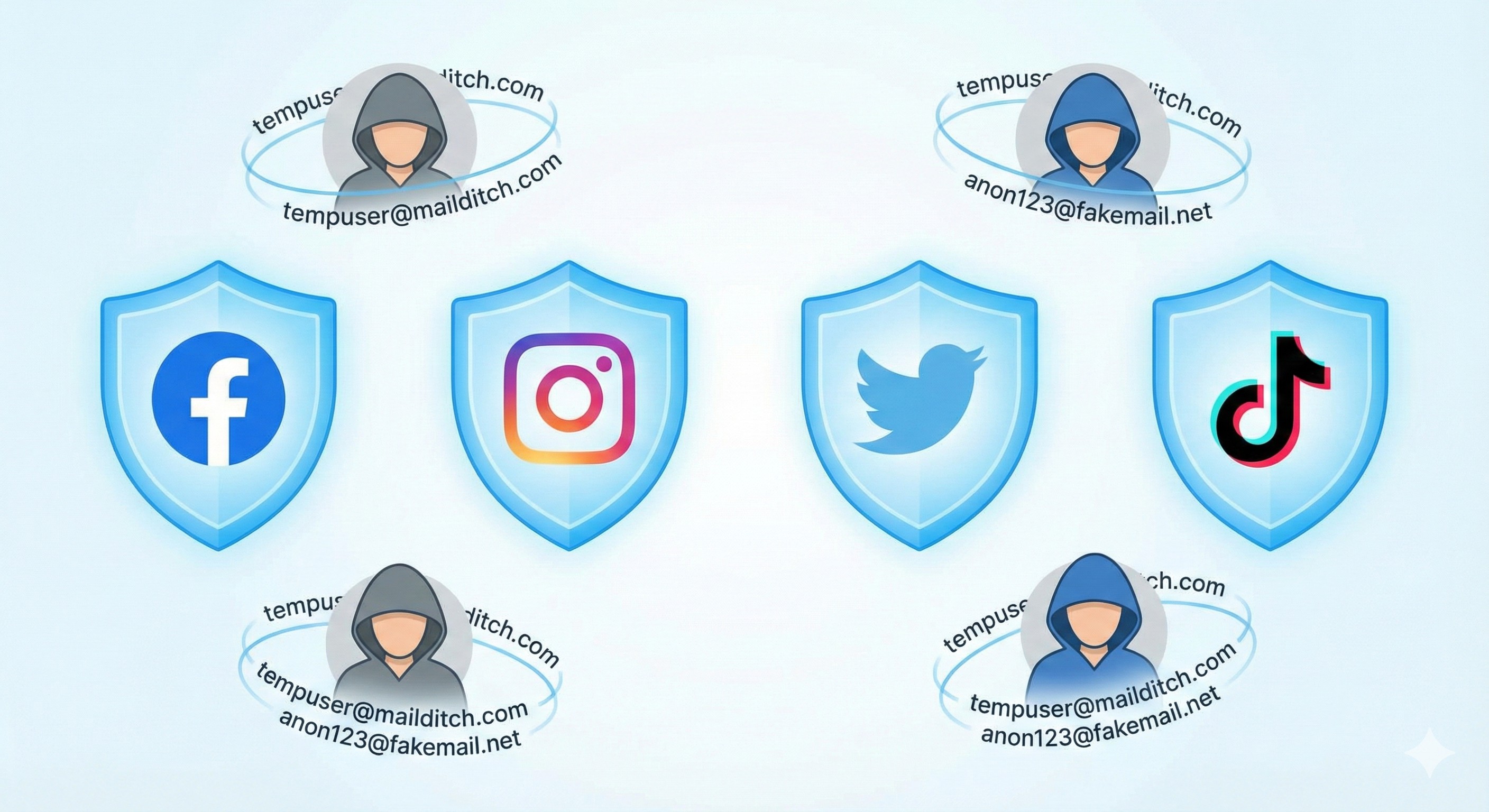
Welcome to the complete guide on using fake email generators for social media—a powerful strategy that lets you enjoy social platforms while protecting your privacy, preventing data mining, and maintaining control over your digital identity.
Whether you're creating your first anonymous account or looking to secure existing ones, this guide will show you exactly how to use disposable email addresses to reclaim your social media privacy.
Social Media's Data Collection Problem
Before we dive into solutions, you need to understand exactly what's at stake. Social media platforms aren't free—you pay with your personal information.
What Social Media Knows About You
When you sign up with your real email, you're giving platforms access to:
1. Your Complete Identity
- Real name and email connection
- Phone number (if provided)
- Birth date and age
- Location history (from posts, photos, check-ins)
- Relationship status and family connections
- Education and employment history
- Home address (from location data patterns)
2. Your Behavioral Patterns
- What time you wake up (first login of day)
- When you go to sleep (last activity before bed)
- Your daily routine (activity patterns)
- Your interests (pages liked, content engaged with)
- Your political leanings (groups joined, content shared)
- Your shopping preferences (ads clicked, products viewed)
- Your health concerns (groups, searches, discussions)
- Your travel plans (location changes, posts)
3. Your Social Network
- Everyone you're connected to
- Who you interact with most frequently
- Hidden relationships (who you view but don't interact with)
- Your influence level (how others engage with your content)
- Your real-world social circle (matched via email/phone contacts)
4. Your Cross-Platform Activity
- Where else you browse online (via tracking pixels)
- What you search for (Facebook can see Google searches through partnerships)
- What you buy online (pixel tracking on e-commerce sites)
- What apps you use (SDK tracking)
- What videos you watch (embedded content tracking)
How Your Email Enables This Tracking
Your email address is the master key that connects everything:
Profile Matching:
- Platforms match your email across their network of properties
- Facebook owns Instagram, WhatsApp, Messenger, same email connects all
- Google owns YouTube, Gmail, Android, complete ecosystem tracking
- Your email reveals accounts on multiple platforms
Data Broker Integration:
- Platforms sell/share your email with data brokers
- Brokers match it to other databases (shopping history, credit reports, public records)
- Comprehensive profiles built without your knowledge
- Information shared back to platforms for better targeting
Cross-Site Tracking:
- "Login with Facebook" gives Facebook access to what you do on other sites
- Even without logging in, platforms track you via email-based pixels
- Advertisers use your email to show ads across the entire internet
- Your email becomes a universal tracking ID
Shadow Profiles:
- Platforms create profiles for people who haven't signed up
- If others upload contacts with your email, platform has your information
- Shadow profiles matched to real accounts when you finally sign up
- Your privacy compromised before you even join
The Financial Incentive
Why do platforms want your email so badly?
The Numbers:
- $197 per user per year: Average revenue social media companies make from your data
- $0.001-$0.01 per email: What companies pay for targeted email lists
- 52,000+ data points: What platforms know about average user
- $200+ billion: Global social media advertising industry value
Your real email is incredibly valuable to them—and incredibly dangerous for your privacy.
Why You Shouldn't Use Your Real Email for Social Media
Let's break down the specific risks of using your personal email address for social accounts:
Risk 1: Identity Theft and Hacking
The Threat: Social media accounts are prime targets for hackers. When breached:
- Your email is exposed in the database leak
- Hackers have the email you use for other accounts
- They attempt password resets on banking, shopping, other services
- Your entire digital identity becomes vulnerable
The Statistics:
- 3.2 billion social media passwords exposed in data breaches (2020-2025)
- Facebook breach 2021: 533 million user emails leaked
- LinkedIn breach 2021: 700 million user records stolen
- Twitter breach 2023: 235 million email addresses exposed
If you used real email, your primary communication channel is now on the dark web.
Risk 2: Doxxing and Harassment
The Threat: Malicious actors can use your social media email to:
- Find your other online accounts
- Discover your real name and address
- Harass you via email and other platforms
- Target you in real life
Real Example: In 2024, a woman used her real email for Instagram. A stalker found her email through a mutual connection, used it to find her Facebook (same email), LinkedIn (same email), and eventually her employer and home address. She had to relocate for her safety.
Anonymous email would have prevented this entirely.
Risk 3: Algorithmic Profiling and Manipulation
The Threat: When platforms have your real email:
- They connect all your activities across their ecosystem
- Build psychological profiles predicting your behavior
- Use those profiles to manipulate what content you see
- Influence your opinions, purchases, and actions
The Reality: Studies show social media algorithms can:
- Change political opinions in 20% of users
- Increase impulse purchases by 35%
- Induce anxiety and depression through content selection
- Create "echo chambers" that radicalize viewpoints
With anonymous email, profile quality decreases significantly.
Risk 4: Employment and Insurance Discrimination
The Threat: Employers and insurers increasingly:
- Search social media during hiring processes
- Check social presence before promotions
- Adjust insurance rates based on social media activity
- Make decisions about you based on your online persona
The Problem: Even with privacy settings, your email connects you. Employers can:
- Find your anonymous accounts if you used identifying email
- See content you thought was private
- Make judgments based on out-of-context posts
- Discriminate based on protected characteristics visible in your profile
Fake email breaks this connection.
Risk 5: Third-Party Data Sharing
The Threat: Social platforms share your email with:
- Advertising partners (thousands of them)
- App developers (games and tools you connect)
- Data brokers (who sell to anyone)
- "Trusted partners" (not so trusted)
What Happens: Your email appears in:
- Marketing databases
- Spam lists
- Phishing target lists
- Identity theft resources
- Political campaign lists
- Scammer databases
Once your real email is shared, you lose control of who has it.
Risk 6: Permanent Digital Footprint
The Threat: Social media is forever:
- Posts you delete may still exist in backups
- Comments and likes are archived
- Your activity is permanently associated with your email
- Future AI tools will make finding old content easier
The Reality: That embarrassing post from 2015? Still findable if someone has your email and knows where to look. College party photos? Potential employers can find them. Controversial opinions you've changed? Permanently connected to your identity.
Anonymous email creates separation between past online activity and current identity.
What Is a Fake Email Generator and How Does It Work?
Now for the solution. A fake email generator (also called disposable email, temporary email, or burner email) creates email addresses that:
- Aren't connected to your real identity
- Receive emails for verification and account creation
- Can be used on social media platforms
- Protect your privacy while letting you enjoy social features
- Are completely legal and ethical for personal privacy protection
How Fake Email Generators Work
Step 1: Instant Generation Visit a service like MailDitch:
- No signup required
- No personal information requested
- Random email address generated immediately
- Example:
[email protected]
Step 2: Use for Social Media Signup Enter the fake email when creating social account:
- Platform sends verification email
- You receive it in your temporary inbox
- Click confirmation link or enter code
- Account verified without exposing real email
Step 3: Receive Important Notifications Your fake email inbox can receive:
- Password reset emails (if needed)
- Security notifications
- Important platform updates
- All while keeping your real email private
Step 4: Maintain or Burn Depending on your needs:
- Keep the fake email active for ongoing access (MailDitch Premium)
- Let it expire if it's a temporary or test account
- Generate new fake email if you want to refresh your privacy
The Key Advantage: Social media platforms never get your real email. They can't connect your account to your actual identity, track you across other platforms, or sell your real contact information to data brokers.
Platform-Specific Guides: Using Fake Email for Each Social Network
Different platforms have different requirements. Here's how to use fake email generators on major social media sites:
Facebook / Meta
Difficulty Level: Medium Verification: Email or phone (email sufficient for basic accounts)
How to Create Anonymous Facebook Account:
- Use VPN or Tor (optional but recommended for maximum privacy)
- Generate fake email at https://mailditch.com
- Visit Facebook signup page in private browsing mode
- Use fake information:
- First name: Choose pseudonym or common name
- Last name: Choose different surname
- Email: Your fake email from MailDitch
- Password: Unique, strong password
- Birth date: Change slightly (must be 13+ in US, 16+ in EU)
- Gender: Your choice
- Complete verification:
- Check your MailDitch inbox
- Receive verification email instantly
- Click confirmation link
- Account activated
- Privacy settings:
- Immediately lock down privacy settings
- Profile visible to friends only
- Disable face recognition
- Turn off location services
- Limit who can search for you by email
Tips for Avoiding Detection:
- Use believable fake name (not "asdfgh" or obvious fakes)
- Don't friend real contacts immediately
- Post some content to appear like real account
- Avoid suspicious activity (mass friending, spam posting)
- Use regularly to maintain account standing
Phone Number Requirement: Facebook sometimes requires phone numbers for verification. Options:
- Use MailDitch Premium for longer-term email access
- Try creating account from different IP/device
- Use secondary burner phone number service if absolutely necessary
- Some users successfully bypass by claiming "I don't have a phone"
Difficulty Level: Medium-High Verification: Email + phone sometimes required
How to Create Anonymous Instagram Account:
- Download Instagram app (slightly easier than web)
- Generate fake email at MailDitch
- Sign up process:
- Email: Your fake email
- Full Name: Pseudonym
- Username: Creative, unconnected to real identity
- Password: Strong and unique
- Verify email:
- Check MailDitch inbox
- Enter verification code
- Complete signup
- Skip phone number:
- Try "Skip" option if offered
- If required, use burner phone service
- Alternatively, create from different device/IP
- Privacy lockdown:
- Private account (not public)
- Disable activity status
- Limit who can tag you
- Turn off location services
- Don't sync contacts
Instagram's Challenge: Meta (owner of Instagram) is aggressive about detecting fake accounts. They use:
- Device fingerprinting
- IP address tracking
- Behavioral analysis
- Connection graph analysis
Countermeasures:
- Use VPN
- Dedicated browser profile for anonymous account
- Don't follow real friends
- Behave like authentic user (post, story, engage)
- Don't immediately follow hundreds of accounts
Twitter / X
Difficulty Level: Easy-Medium Verification: Email sufficient
How to Create Anonymous Twitter Account:
- Generate fake email at MailDitch
- Visit Twitter/X signup
- Create account:
- Name: Pseudonym
- Phone or email: Choose email, use fake address
- Birth date: Alter from real
- Verify email:
- Check MailDitch inbox
- Click verification link
- Account activated
- Privacy settings:
- Protected tweets (only followers see)
- Disable location tagging
- Turn off photo tagging
- Don't sync contacts
Twitter/X Advantages:
- More tolerant of pseudonyms
- Culture of anonymous accounts
- Less aggressive verification
- Easier to maintain privacy
Tips:
- Engage authentically to avoid suspension
- Don't spam or violate terms of service
- Build credibility gradually
- Anonymous doesn't mean immunity from rules
TikTok
Difficulty Level: Easy Verification: Email or phone (email easier)
How to Create Anonymous TikTok Account:
- Generate fake email at MailDitch
- Open TikTok app (or web)
- Sign up with email:
- Enter fake email address
- Set birth date (13+ required)
- Create username (not real name)
- Set strong password
- Verify email:
- Check MailDitch inbox
- Click verification link
- Privacy settings:
- Private account
- Disable location services
- Turn off personalized ads
- Limit who can comment/duet/stitch
- Don't sync contacts
TikTok Privacy Notes:
- TikTok collects enormous amounts of data
- Even with fake email, limit personal information
- Don't show face if fully anonymous
- Be aware of metadata in videos (location, time, etc.)
Difficulty Level: Hard Verification: Email + often phone + profile verification
How to Create Semi-Anonymous LinkedIn:
LinkedIn is challenging for full anonymity because:
- Professional network expects real identities
- Fake profiles violate terms of service for business use
- Heavy verification and manual review
If you need LinkedIn privacy:
Option 1: Limited Profile
- Use real name (required by terms)
- Use fake email from MailDitch
- Minimal information in profile
- Lock privacy settings tight
- Connect only with known contacts
Option 2: Professional Pseudonym
- Use professional-sounding fake name
- Fake email from MailDitch
- Generic job title and industry
- Use for research/networking without full exposure
- Risk of account suspension if detected
Recommendation: LinkedIn is one platform where fake email provides limited benefit since professional networking requires some real identity. Use fake email to prevent LinkedIn from accessing your primary email, but don't expect full anonymity.
Snapchat
Difficulty Level: Easy Verification: Email or phone
How to Create Anonymous Snapchat:
- Generate fake email at MailDitch
- Open Snapchat app
- Sign up:
- Email: Fake email address
- Password: Strong unique
- Name: Pseudonym
- Username: Creative, not identifiable
- Birth date: 13+ required
- Verify email via MailDitch inbox
- Privacy settings:
- Who can contact: My Friends
- Who can view Story: My Friends
- Who can see location: Ghost Mode (invisible)
- Disable Snap Map entirely
- Turn off quick add
Snapchat Advantages:
- Designed for privacy (messages disappear)
- Easy to stay anonymous
- Less data mining than other platforms
- Good platform for fake email usage
Difficulty Level: Very Easy Verification: Optional email
How to Create Anonymous Reddit Account:
- Generate fake email at MailDitch (optional, Reddit doesn't require email)
- Visit Reddit signup
- Create account:
- Username: Anonymous, creative
- Password: Strong unique
- Email: Fake email or leave blank (!)
- Optional verification if you provided email
- Reddit stays anonymous by default
Reddit Privacy Advantages:
- No email required at all
- Culture of anonymity and pseudonyms
- Minimal personal data collection
- Use fake email only if you want password recovery option
Tips:
- Create separate accounts for different interests
- Never post identifying information
- Be aware of metadata in images/videos
- Reddit can still track via IP/device
YouTube (Google)
Difficulty Level: Medium-Hard Verification: Email (Google account required)
How to Create Anonymous YouTube Account:
- Generate fake email at MailDitch
- Create Google account:
- First name: Pseudonym
- Last name: Different name
- Username: Will become Gmail address (use something unrelated to real identity)
- Password: Strong unique
- Skip phone number if possible
- Verify email:
- Google sends verification
- Check MailDitch inbox
- Enter code
- Create YouTube channel:
- Use brand account option (not personal)
- Channel name: Your content brand
- Description: Generic
- Privacy settings:
- Don't link to other social media
- Disable location
- Turn off watch history visibility
- Private subscriptions
- Limit comments
Google's Challenge: Google aggressively ties accounts to real identities:
- Phone verification often required
- Multiple security checks
- Cross-service tracking (Gmail, YouTube, Android, Chrome)
Countermeasures:
- Use VPN
- Separate browser for anonymous Google accounts
- Never log into real and anonymous Google accounts from same device
- Use alternative front-ends (Invidious for watching YouTube without Google account)
Best Practices for Using Fake Email on Social Media
Following these guidelines ensures your anonymous accounts remain secure and functional:
Practice 1: Separate Everything
Complete Compartmentalization:
- Different browser profiles for real vs. anonymous accounts
- Different devices if possible (or at minimum, different browsers)
- Different VPN servers for different personas
- Never cross-contaminate: Don't log into both from same session
Why It Matters: Platforms use browser fingerprinting, device IDs, and IP addresses to connect accounts. Logging into your real Facebook and fake Instagram from the same browser tells Facebook they're the same person.
Practice 2: Maintain Consistent Personas
If Creating Pseudonymous Identity:
- Keep fake name, age, location consistent across platforms where you use it
- Develop backstory (don't overshare, but be consistent)
- Use same profile picture across platforms (if using one)
- Stay in character—don't accidentally reveal real info
Why It Matters: Inconsistent information flags accounts as fake and triggers verification requirements.
Practice 3: Behave Like Real Users
Authenticity Signals:
- Post content regularly (not immediately after creation)
- Engage with others naturally
- Follow accounts gradually, not all at once
- Complete profile sections (bio, profile pic)
- Use the platform's features (stories, reels, etc.)
Why It Matters: Platforms use AI to detect fake accounts. Behaving authentically helps you blend in.
Practice 4: Use MailDitch Premium for Long-Term Accounts
For Social Media Accounts You'll Keep:
- Free temporary email may expire
- You'll lose access if email is gone and you forget password
- MailDitch Premium offers extended retention
- Save important emails to favorites
- Custom domains less likely to be blocked
Why It Matters: Social media accounts are typically long-term. Having reliable email access prevents lockout situations.
Practice 5: Never Reveal Identifying Information
What Not to Share:
- Your real name, location, workplace, school
- Photos of your face (if fully anonymous)
- Identifying landmarks in photos
- Specific details about your life that could identify you
- Your real phone number
- Connection to real social media accounts
- Your real email address
Why It Matters: One slip can connect your anonymous account to your real identity, defeating the purpose.
Practice 6: Monitor for Compromise
Regular Checks:
- Check if your fake email appears in data breaches (HaveIBeenPwned)
- Review connected apps and services on each platform
- Check login activity for unauthorized access
- Verify privacy settings haven't changed (platforms update settings)
- Review who can see your information
Why It Matters: Even anonymous accounts can be compromised. Early detection prevents damage.
Practice 7: Have an Exit Strategy
Know When to Burn:
- If account gets compromised
- If you accidentally expose real identity
- If platform starts requiring phone verification you can't provide
- If you no longer need the account
How to Burn:
- Delete all posts and content
- Remove all connections/followers
- Delete account (don't just abandon)
- Let fake email expire
- Clear browser data
- Move on to fresh identity if needed
Why It Matters: Sometimes the best privacy protection is knowing when to start over.
Avoiding Shadowbans and Account Flags
Social platforms don't like fake accounts (though they're legal for privacy protection). Here's how to avoid detection:
Red Flag 1: Using Known Temporary Email Domains
The Problem: Platforms maintain blacklists of known temporary email providers.
The Solution:
- MailDitch offers multiple domain options
- Try different domains if one is blocked
- MailDitch Premium provides custom domains that aren't on blacklists
- Rotate domains for different platforms
Red Flag 2: Creating Multiple Accounts from Same IP
The Problem: Creating several accounts from the same network looks suspicious.
The Solution:
- Use VPN and change servers between account creations
- Wait days or weeks between creating multiple accounts
- Use mobile data for some, home Wi-Fi for others
- Make accounts from different locations (coffee shop, library, etc.)
Red Flag 3: Unusual Activity Patterns
The Problem: Following 500 people immediately, posting 50 times in first hour, mass liking—all scream "bot" or "fake."
The Solution:
- Build accounts gradually
- First week: Set up profile, follow 5-10 accounts, post 1-2 times
- Second week: Gradually increase activity
- Mimic real user behavior patterns
- Engage authentically with content
Red Flag 4: Zero Personal Information
The Problem: Completely blank profiles get flagged. Platforms want complete profiles.
The Solution:
- Fill out bio (generic but complete)
- Add profile picture (use stock photo, avatar, or AI-generated)
- Include some interests and information
- Make profile look "lived in"
Red Flag 5: Never Logging In
The Problem: Created account but never used it? Platform assumes it's fake.
The Solution:
- Log in regularly (at least weekly)
- Engage with content (likes, comments, shares)
- Post occasionally
- Keep account active and appearing genuine
Red Flag 6: Using VPN Sloppily
The Problem: Logging in from Germany one day, Philippines the next, then Canada = suspicious.
The Solution:
- Choose one VPN location and stick with it for that account
- Or use nearest VPN server consistently
- Don't jump around the world randomly
- Match timezone activity to claimed location
Red Flag 7: Connecting to Known Anonymous Accounts
The Problem: Following or connecting with other accounts known to be anonymous or associated with fake emails flags you.
The Solution:
- Keep anonymous accounts separate
- Don't friend your other anonymous accounts
- Don't engage with suspicious-looking accounts
- Build legitimate-looking connections
Legal and Ethical Considerations
Using a fake email for social media is legal for privacy protection, but there are important considerations:
When It's Completely Legal and Ethical
✅ Personal Privacy Protection: Creating accounts to protect your real identity from data mining
✅ Preventing Doxxing: Protecting yourself from harassment or stalking
✅ Separating Personal and Professional: Keeping work and personal lives separate
✅ Testing Platforms: Trying social media before committing real identity
✅ Creative Pseudonyms: Artists, writers, activists using pen names
✅ Avoiding Discrimination: Protecting against bias based on identity characteristics
✅ Whistleblowing/Activism: Safely reporting wrongdoing or organizing
When It Becomes Problematic
❌ Impersonation: Pretending to be a specific real person (identity theft)
❌ Harassment/Bullying: Using anonymity to abuse others
❌ Fraud: Scamming people or businesses
❌ Ban Evasion: Creating new accounts after being banned for violations
❌ Spam/Bot Networks: Mass fake accounts for manipulation
❌ Platform Manipulation: Fake accounts to artificially boost metrics
❌ Illegal Activities: Using anonymity to commit crimes
Terms of Service Considerations
Most platforms' terms state:
- Users should provide accurate information
- False information may result in account termination
- Using someone else's identity is prohibited
However:
- Using pseudonyms for privacy is different from impersonation
- Fake email (not real person) is privacy protection, not fraud
- Many platforms tolerate pseudonymous accounts
- Legal in most jurisdictions for personal privacy
The Balance:
- Use fake email for privacy, not deception
- Don't impersonate real people
- Don't violate other terms (harassment, spam, illegal content)
- Respect platform rules beyond just email usage
- If account is terminated, respect that decision
The Principle: Fake email generator for social media privacy is about protecting yourself, not harming others.
Managing Multiple Anonymous Social Media Accounts
Many users maintain several anonymous accounts for different purposes. Here's how to manage them effectively:
Organization System
Use a Password Manager: Track for each account:
- Platform name (Facebook, Instagram, etc.)
- Username
- Fake email used (from MailDitch)
- Password (unique for each)
- Purpose/persona
- Creation date
- Notes (important details)
Example Entry:
Platform: Instagram
Username: nature_photos_anon
Email: [email protected]
Password: [unique strong password]
Purpose: Share nature photography without connecting to real identity
Created: January 15, 2026
Notes: Used VPN server in Oregon, don't connect to real accounts
Browser Profile Strategy
Create Separate Browser Profiles:
Profile 1: Real Identity
- Your real accounts
- Logged into real email
- Normal browsing
Profile 2: Anonymous Persona A
- All accounts for first anonymous identity
- Always use VPN
- Specific fake email
- Never access real accounts from here
Profile 3: Anonymous Persona B
- Different anonymous identity
- Different VPN server
- Different fake email
- Separate from Persona A
Benefit: Complete separation prevents cross-contamination and platform tracking.
Device Strategy (Advanced)
If Serious About Privacy:
Device 1: Personal
- Real identity accounts
- Normal smartphone/computer
- Your actual SIM card and accounts
Device 2: Anonymous
- Dedicated device for anonymous accounts
- Burner phone or separate computer
- Different SIM or only Wi-Fi
- Never mixed with real identity
Less Extreme Option:
- Use mobile device for real accounts
- Use computer with browser profiles for anonymous accounts
- Maintain separation without buying extra devices
Routine Maintenance
Weekly:
- Log into each anonymous account briefly
- Check notifications in MailDitch fake email inboxes
- Post/engage to keep accounts active
- Review privacy settings
Monthly:
- Verify no unauthorized access
- Clean up old content if desired
- Update passwords if needed
- Check for platform policy changes
Quarterly:
- Deep audit of all anonymous accounts
- Decide which to keep vs. burn
- Refresh fake email access (MailDitch Premium)
- Review overall privacy strategy
Troubleshooting Common Issues
Even with careful setup, you might encounter problems. Here's how to solve them:
Issue 1: Platform Rejects Fake Email Domain
Symptom: "Invalid email address" or "Temporary emails not allowed"
Solutions:
- Try different domain option in MailDitch
- Use MailDitch Premium custom domain
- Try signup from different device/IP
- Use mobile app instead of web (sometimes different validation)
- As last resort, use secondary real email (not primary)
Issue 2: Never Received Verification Email
Symptom: Signed up but no verification email in MailDitch inbox
Solutions:
- Wait 5-10 minutes (some platforms delay)
- Check spam folder in MailDitch (if applicable)
- Request resend from platform
- Try different email domain from MailDitch
- Verify you copied email address correctly
Issue 3: Account Suspended for "Suspicious Activity"
Symptom: Account locked or banned shortly after creation
Solutions:
- Request review (sometimes automated error)
- If persistent, account creation pattern flagged, wait longer between attempts
- Change creation methodology (different IP, device, timing)
- Accept that this platform is difficult for anonymous accounts
- Create account with different approach (more authentic-looking)
Issue 4: Can't Reset Password Because Email Expired
Symptom: Forgot password, but fake email no longer active
Solutions:
- If using MailDitch Premium, check if email still accessible
- Try account recovery via security questions (if set up)
- Contact platform support (may require identity verification)
- Accept account loss and create new one
- Prevention: Use MailDitch Premium for accounts you plan to keep
Issue 5: Platform Requires Phone Verification
Symptom: "Verify your phone number to continue"
Solutions:
- Try "I don't have a phone" option if available
- Use different IP/device for account creation
- Consider burner phone number service (secondary option)
- Use MailDitch Premium for longer email retention if phone needed later
- Some platforms eventually drop requirement with account age
Issue 6: Accidentally Mixed Real and Anonymous Accounts
Symptom: Logged into both from same device, worried about connection
Solutions:
- Immediate: Clear all browser data
- Change passwords on anonymous accounts
- Consider burning compromised anonymous account
- Start fresh with better separation
- Use VPN and different browser going forward
Issue 7: Fake Email Inbox Full or Unreachable
Symptom: Can't access MailDitch inbox for important notification
Solutions:
- Clear MailDitch inbox by deleting old messages
- Upgrade to MailDitch Premium for unlimited storage
- For critical accounts, ensure you have MailDitch Premium beforehand
- Move important verification emails to favorites
- Have backup access method for critical accounts
The Future of Social Media Privacy
As we move through 2026 and beyond, the landscape of social media privacy continues evolving:
Emerging Threats
AI-Powered De-Anonymization:
- Platforms using AI to connect anonymous accounts to real identities
- Writing style analysis
- Behavioral pattern matching
- Photo background analysis revealing location
- Relationship graph analysis
Mandatory Identity Verification:
- Some regions requiring government ID for social media
- Platform pressure to verify all accounts
- Reduced ability to maintain anonymity
- Privacy vs. accountability debate intensifying
Cross-Platform Tracking Improvements:
- Better browser fingerprinting
- Device recognition across platforms
- More sophisticated tracking pixels
- IoT device tracking (smart home, wearables)
Emerging Protections
Privacy-First Social Networks:
- Decentralized social media (Mastodon, Nostr)
- Built-in anonymity features
- No central data collection
- User-controlled data
Stronger Privacy Laws:
- GDPR expansion and enforcement
- More countries adopting privacy legislation
- Right to anonymous accounts in some jurisdictions
- Platform accountability for data misuse
Advanced Privacy Tools:
- Better VPN and Tor integration
- AI-generated personas (fake but consistent identities)
- Blockchain-based anonymous identity
- Zero-knowledge social protocols
The Trend: Privacy protection is becoming more important and more accessible, with tools like fake email generators playing crucial role.
Your Social Media Privacy Action Plan
Ready to protect your social media privacy? Follow this comprehensive implementation plan:
Week 1: Assessment and Setup
Day 1-2: Audit Current Exposure
- [ ] List all social media accounts you have
- [ ] Note which use your real email
- [ ] Identify which accounts need privacy most
- [ ] Check what information is public on each
Day 3-4: Learn the Tools
- [ ] Visit https://mailditch.com
- [ ] Generate your first fake email
- [ ] Explore features (domains, history, favorites)
- [ ] Decide if Premium features needed
Day 5-7: Create First Anonymous Account
- [ ] Choose one platform to start with
- [ ] Generate fake email from MailDitch
- [ ] Create account following platform guide above
- [ ] Set privacy settings to maximum
- [ ] Verify account works correctly
Week 2: Expand and Secure
Day 8-10: Create Additional Anonymous Accounts
- [ ] Choose 2-3 more platforms
- [ ] Generate different fake email for each
- [ ] Create accounts with complete compartmentalization
- [ ] Set up separate browser profiles if needed
Day 11-14: Secure Existing Accounts
- [ ] Review privacy settings on real-email accounts
- [ ] Consider creating anonymous alternatives for high-risk accounts
- [ ] Decide which accounts to migrate to fake email
- [ ] Lock down profiles you keep with real email
Week 3-4: Integration and Best Practices
Day 15-21: Establish Routines
- [ ] Develop workflow for managing multiple accounts
- [ ] Set up password manager with all account details
- [ ] Create maintenance schedule
- [ ] Practice never mixing real and anonymous accounts
Day 22-30: Optimize and Educate
- [ ] Fine-tune privacy settings based on experience
- [ ] Join privacy-focused communities to learn more
- [ ] Stay updated on platform policy changes
- [ ] Consider MailDitch Premium if needed
Ongoing: Maintenance and Vigilance
Monthly:
- [ ] Review all anonymous account activity
- [ ] Check for unauthorized access
- [ ] Update privacy settings if platforms changed them
- [ ] Verify fake emails still accessible
Quarterly:
- [ ] Deep privacy audit
- [ ] Evaluate which anonymous accounts still needed
- [ ] Burn accounts no longer necessary
- [ ] Update privacy strategy based on new threats
Annually:
- [ ] Major privacy overhaul
- [ ] Consider creating fresh anonymous accounts
- [ ] Review all tools and practices
- [ ] Stay informed on privacy law changes
Conclusion: Take Back Your Social Media Privacy
Social media doesn't have to mean surrendering your privacy. You can enjoy the connection, creativity, and community of social platforms while protecting your real identity from data mining, tracking, and exploitation.
Using fake email generators for social media is your declaration of digital independence.
What you've learned in this guide:
✅ Why social media platforms want your real email so badly
✅ The specific privacy risks of using personal email for social accounts
✅ How fake email generators protect your identity
✅ Platform-specific strategies for all major social networks
✅ Best practices for maintaining anonymous accounts
✅ How to avoid shadowbans and account flags
✅ Legal and ethical framework for privacy-protecting anonymity
✅ Managing multiple anonymous accounts effectively
✅ Troubleshooting common issues
✅ Future of social media privacy
The most important takeaway: Your privacy is worth protecting. Social media companies make billions from your data—don't give it to them for free. Use fake email addresses to create barriers between your real identity and the digital profiles they're building.
Start protecting your social media privacy today:
- Visit https://mailditch.com
- Generate your first fake email address (instant, no registration)
- Create your first anonymous social media account
- Experience social media with your privacy intact
Don't wait until your personal information is leaked in the next data breach. Don't wait until you're doxxed or harassed. Don't wait until employers or insurers make decisions based on your social media.
Protect yourself proactively with fake email generator for social media.
Join thousands of privacy-conscious users who have discovered that social media and privacy aren't mutually exclusive, you can have both.
👉 Get Your Fake Email for Social Media Now - Free, instant, anonymous.
Your real email is valuable. Your privacy is priceless. Use fake email for social media and keep both safe.
Related Articles
- How to Protect Your Real Email from Spam and Phishing Attacks
- The Ultimate Guide to Free Temporary Email for Verification
- Stay Anonymous Online with Instant Email Address No Registration
- Stop Spam Forever: How Burner Mail Service Protects Your Inbox
- Create Anonymous Social Media Accounts Without Getting Banned
Protect Your Social Media Privacy
Quick Links:
- Create Fake Email for Social Media
- Sign Up for Premium Features
- Read Our Privacy Policy
- Contact Support
About This Guide: Created by privacy advocates at MailDitch who believe you deserve to enjoy social media without sacrificing your personal privacy.
Last Updated: January 2026
Share this guide with anyone concerned about social media privacy. Help others protect their digital identities.
Questions about using fake email for social media? Drop a comment and our privacy experts will help you protect your social media accounts!